Heartbeat monitoring
Heartbeat monitors expect your job or worker to call in on a schedule. If no signal arrives within expected interval plus grace period, the check fails and appears as downtime in history and on boards.
In the console, Monitor results shows configuration (including values from the API), a timeline of healthy vs failing periods, and check history with the error when a beat is missed—for example: no heartbeat received within expected_interval_minutes + grace_period_minutes.
Video: set up and integrate a heartbeat monitor
The steps below are a written companion to this recording. The MP4 does not ship with a separate caption file in the asset bundle, so this is not an automatic transcript—use the video for exact clicks and labels.
Step-by-step guide
Work in the Exemplar console . Match timing and UI names to the video where they differ.
-
Create a heartbeat monitor — In the monitoring flow, choose a push / heartbeat monitor (not only ICMP or URL checks). Name it for the job or worker it represents.
-
Set timing — Configure expected interval (how often you promise a beat) and grace period (extra slack before a miss counts as failure). Omit grace only if your org’s defaults apply.
-
Save and copy identifiers — After creation, note the monitor id and keep your API access token ready for integration.
-
Integrate from your app — Call the heartbeat API from the code path that means “success” (cron completion, queue drain, batch job end). Use REST with
POST /api/monitoring/heartbeator the TypeScript or Python SDK (see below). -
Send metadata (optional) — Attach small JSON metadata (host, region, job id) so incidents are easier to triage.
-
Verify — Open Monitor results: confirm green timeline when beats arrive, and that a deliberate pause shows downtime in history with the expected error text.
-
Wire to dashboards — Ensure the monitor appears on the service board or status views your team uses.
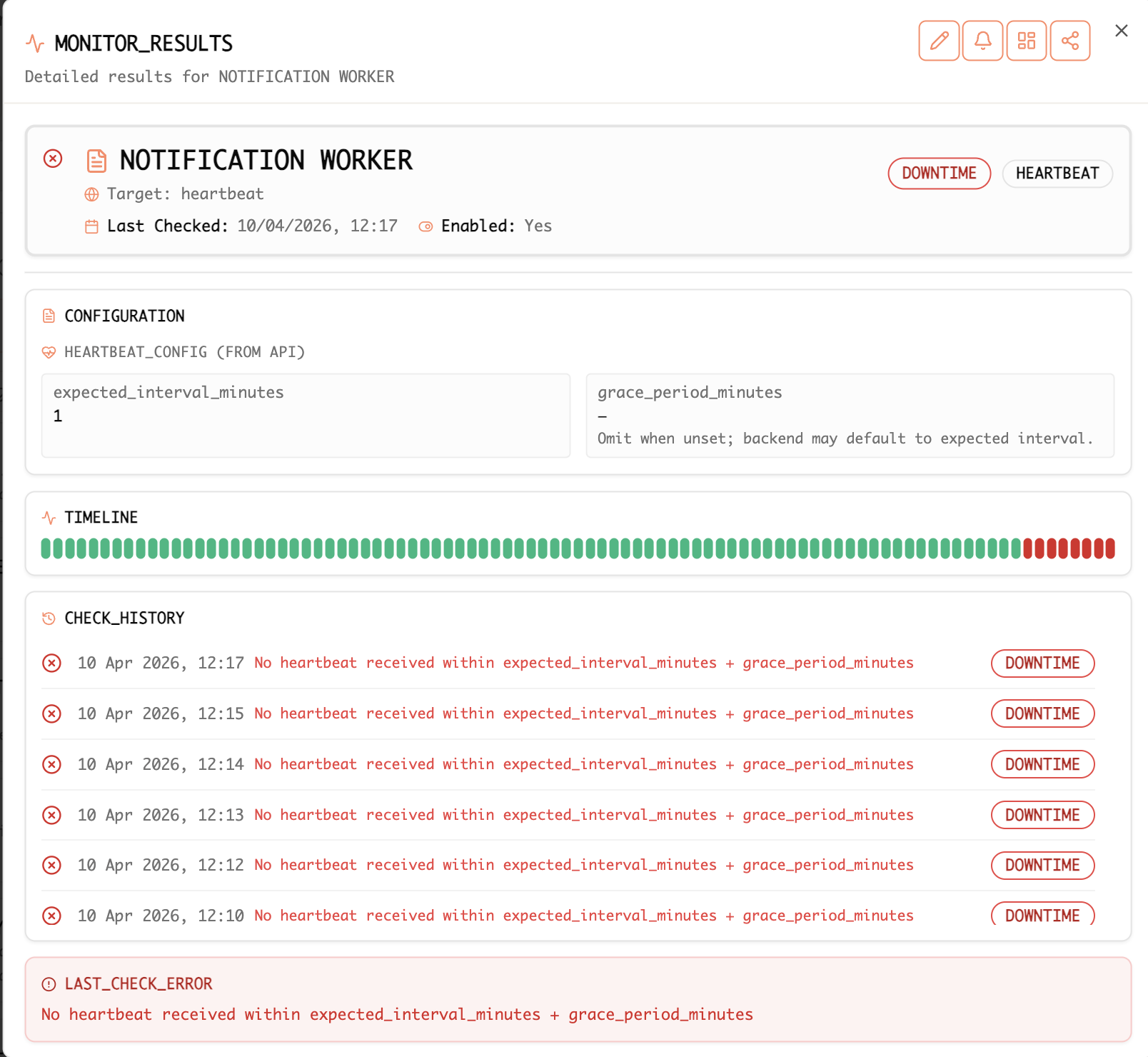
Example: heartbeat monitor detail with failing checks and the “no heartbeat received within expected interval + grace period” message.
API and SDKs
Push heartbeats over HTTPS with an API access token (same credential you use for other Exemplar API calls). The production API host is https://production-api.exemplar.dev.
When you create a heartbeat monitor in the console, Developer integration summarizes direct HTTP usage and the official SDKs:
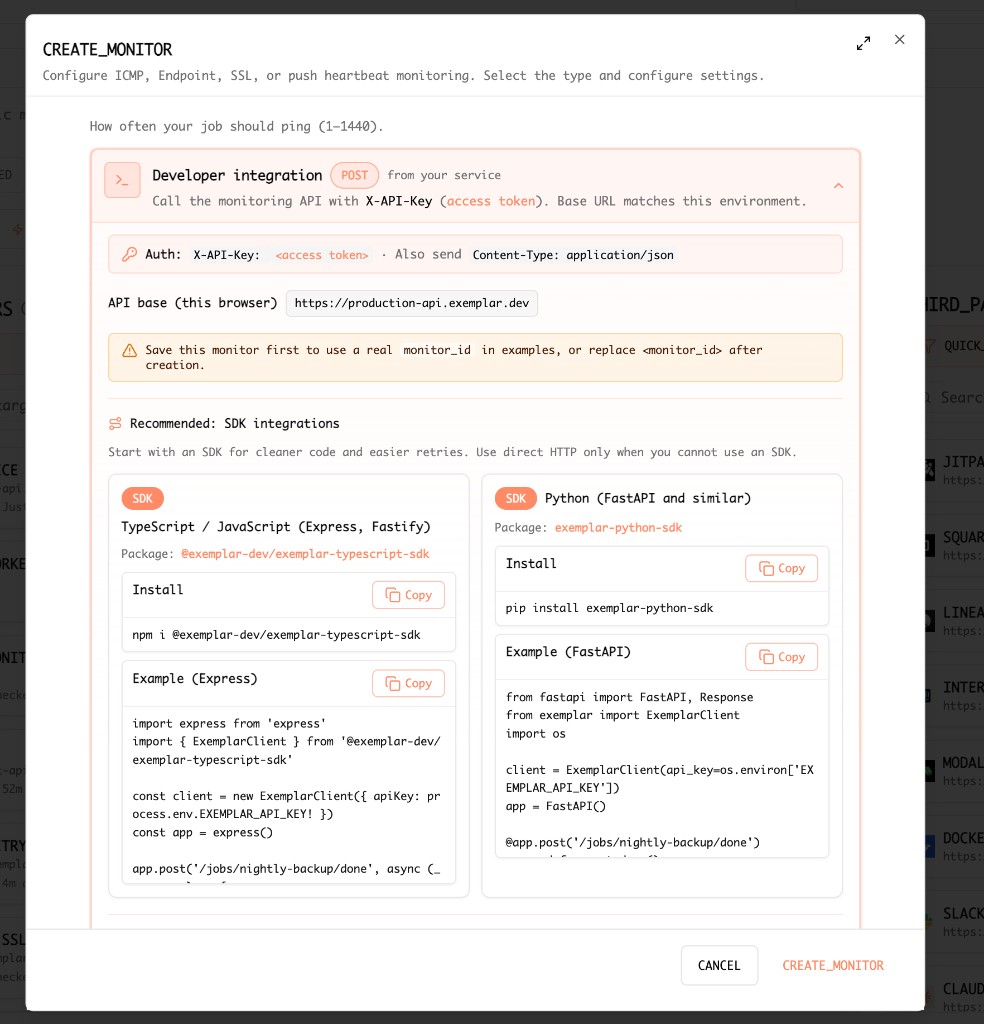
Console: CREATE_MONITOR flow — ICMP, endpoint, SSL, or push heartbeat; developer integration shows X-API-Key, JSON body shape, and install snippets for the TypeScript and Python SDKs.
Save the monitor first so examples can use a real monitor_id, or substitute <monitor_id> after creation.
REST API
POST /api/monitoring/heartbeat with JSON body and headers:
curl -sS -X POST 'https://production-api.exemplar.dev/api/monitoring/heartbeat' \
  -H 'Content-Type: application/json' \
  -H 'X-API-Key: <access token>' \
-d '{"monitor_id":"<monitor_id>","metadata":{"hostname":"worker-01"}}'X-API-Key— Your Exemplar API access token.monitor_id— The heartbeat monitor’s id (from the console after creation).metadata— Optional object attached to the check (for example host, region, or job name).
TypeScript / JavaScript
Official package: @exemplar-dev/exemplar-typescript-sdk (Node.js 18+; uses global fetch).
npm install @exemplar-dev/exemplar-typescript-sdkInitialize once, then call sendHeartbeat from a route, worker, or scheduled job:
import express from 'express'
import { initExemplar, sendHeartbeat } from '@exemplar-dev/exemplar-typescript-sdk'

initExemplar({
  apiKey: process.env.EXEMPLAR_API_KEY!,
  baseUrl: 'https://production-api.exemplar.dev',
})

const app = express()

app.post('/jobs/nightly-backup/done', async (_req, res) => {
  await sendHeartbeat({
    monitorId: process.env.EXEMPLAR_MONITOR_ID!,
    metadata: { hostname: 'worker-01' },
  })
  res.json({ ok: true })
})
The SDK also exposes startHeartbeatCron for interval-based pings; see the package README on npm.
Python
Official package: exemplar-python-sdk on PyPI (Python 3.9+).
pip install exemplar-python-sdkimport os
from fastapi import FastAPI
import exemplar
exemplar.init(api_key=os.environ["EXEMPLAR_API_KEY"])
app = FastAPI()
@app.post("/jobs/nightly-backup/done")
def nightly_backup_done():
exemplar.send_heartbeat(
os.environ["EXEMPLAR_MONITOR_ID"],
metadata={"hostname": "worker-01"},
)
return {"ok": True}For long-running processes, the SDK also provides helpers for background heartbeat loops; see the project page on PyPI .