Failover & routes
When a provider is down or returns an error, the gateway can automatically try the next model in a chain you configure—primary → fallbacks—so your app keeps a single endpoint.
You set this up in the console under Marshal → AI Gateway → Management → Routes. Prefer console routes over hard-coding dual clients in application code.
Failover applies to non-stream Chat Completions and Responses when a route matches. Streaming, passthrough, and requests with no matching route use a single provider only.
When it runs
Runs when
- The request is non-stream
chatorresponses - A route matches the operation and model
- The primary fails with a retryable/fallbackable error (for example upstream 429, 5xx, or timeout after retries)
Does not run when
- The request is streaming
- You use provider passthrough (
/gateway/openai,/gateway/anthropic, …) - No route matches (default
provider/modelrouting only) - The gateway itself returns 429 for your org/API-key rate limit (that is terminal—see Rate limits)
Console setup
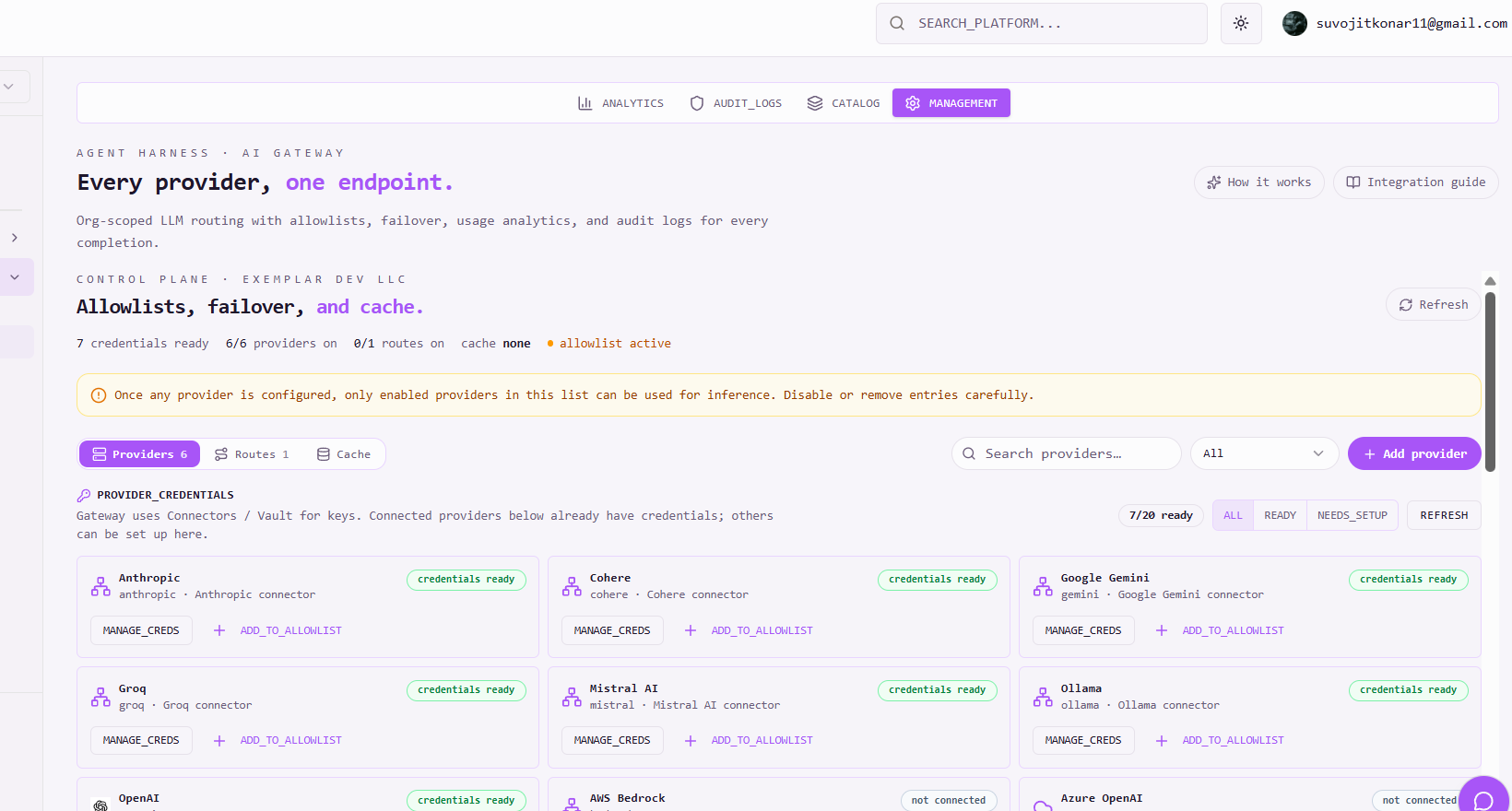
Open AI Gateway → Management .
Enable providers (credentials + allowlist)
On the Providers tab, confirm connectors have credentials ready, then add providers to the allowlist. Disabled providers are skipped in a failover chain.
Open Routes
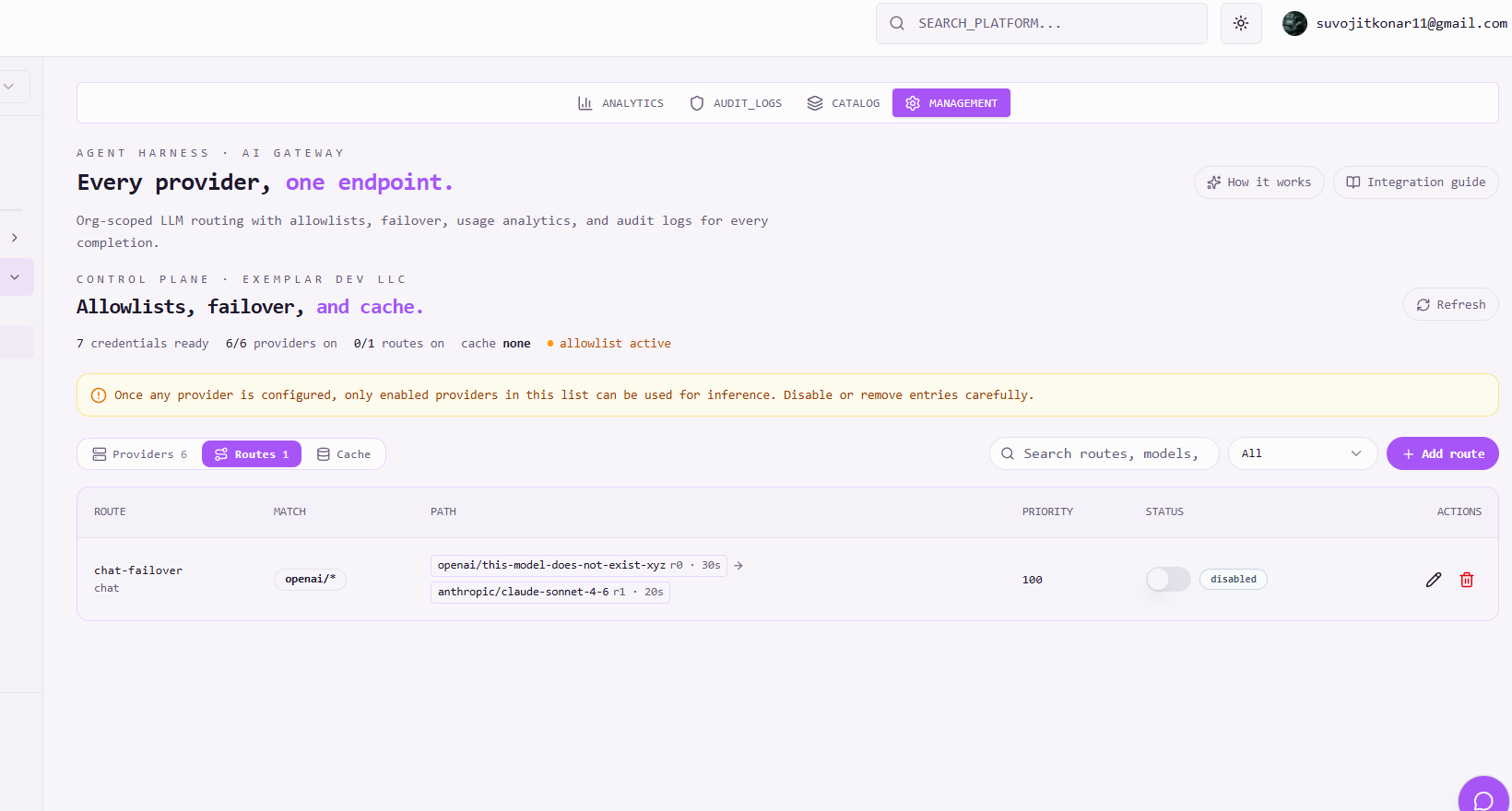
Switch to the Routes tab. Without routes, traffic uses default model-prefix routing only. Click + Add route to define a primary target, retries, and fallbacks.
Create a route (primary + fallbacks)
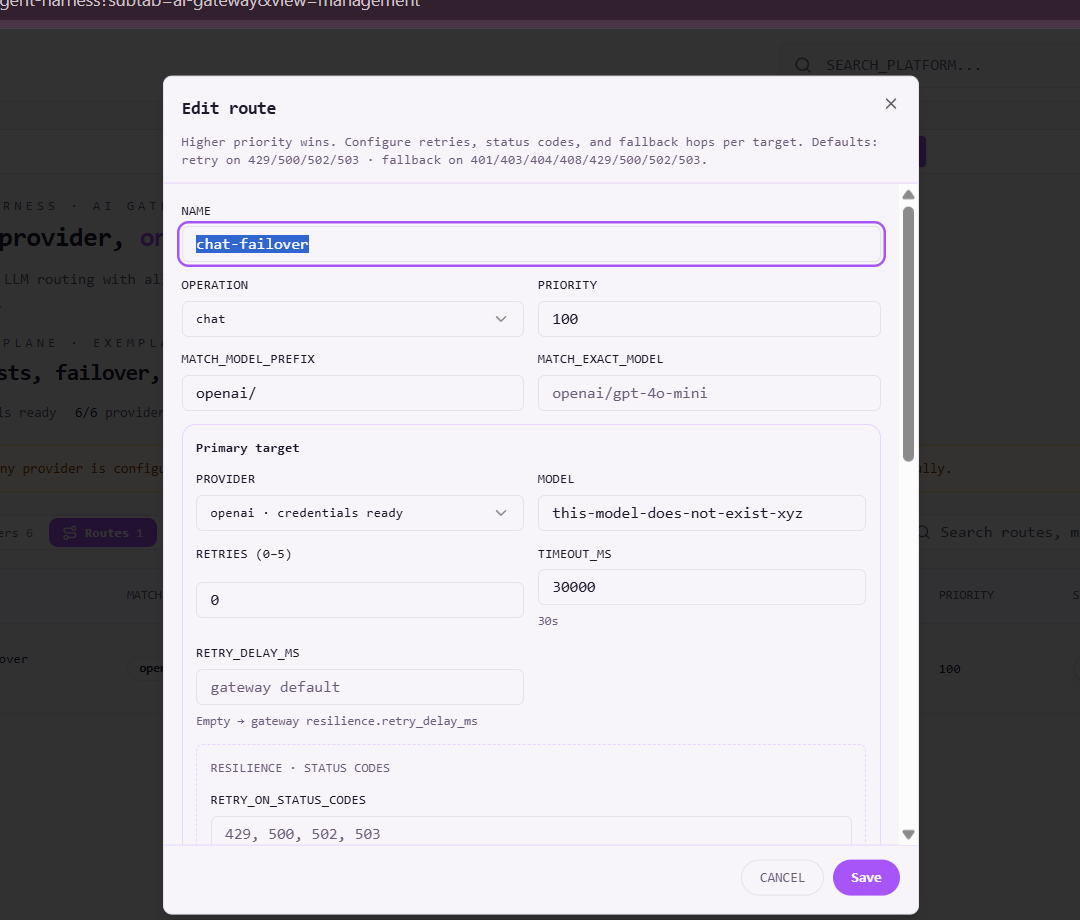
In the Add route dialog, fill in:
| Field | What to set |
|---|---|
| Name | Friendly id (e.g. chat-openai-failover) |
| Operation | chat, responses, or * |
| Priority | Higher wins when several routes match |
| Match model prefix / exact model | e.g. openai/ or openai/gpt-4o-mini |
| Primary target | Provider + model, retries, timeout |
| Fallbacks | Ordered list of next targets (same fields). Tried after primary retries are exhausted |
Fallbacks run on 5xx, 429, or primary timeouts (same-target retries first, then the next fallback).
Save and verify
Save the route, then send a non-stream Chat Completions request for a matching model. If the primary fails, the gateway walks fallbacks. Check Analytics / audit to see which target served the call.
Creating and editing routes requires an admin role in the org.
Behavior notes
- Retries happen on the same target; failover moves to the next fallback.
- Unhealthy providers can be skipped temporarily until they recover.
- Hard client errors (for example 400 validation) return immediately—they do not walk fallbacks.
- Response shape can change across vendors (OpenAI → Anthropic). Prefer unified Chat Completions when clients need a stable schema.
- Prefer non-stream for production failover coverage today.
A gateway rate limit rejection is not an upstream failure. Honor Retry-After and retry later—failover will not switch providers for tenant quota exhaustion.
Guidelines
- Configure failover in Management → Routes, not in app code.
- Use
provider/modelids so routing and analytics stay clear. - Put expensive models behind routes with cheaper fallbacks.
- Pair with response cache for repeated prompts (hits never reach failover).
- Pair spend controls with rate limits and Guardrails.
Related
- Getting started — enable providers and keys
- Unified API — chat and responses surfaces
- Rate limits — admission before failover
- Response cache — lookup before failover