Apply and manage policy packs
Policy packs are curated Rulebook templates. Apply a pack to create active bash, path, MCP, or prompt rules; raise enforcement when you are ready to ask or deny. This walkthrough follows the console UI—screenshots include the Arcade highlight markers from the product tour.
Where: console.exemplar.dev → Relay · Related: Connect surfaces · Control rules · Audit and replay
Before you start
- An Exemplar organization and access to Relay
- A personal API key with RELAY scope — Tokens and API keys
- At least one coding agent surface (Claude Code, Cursor, Codex, or OpenCode)
Walkthrough
See how Relay sits on the wire
Open Relay. The hero diagram shows coding agents on the left, Relay in the middle, and allow / ask / deny outcomes on the right. Use this view to understand where policies are evaluated before side effects.
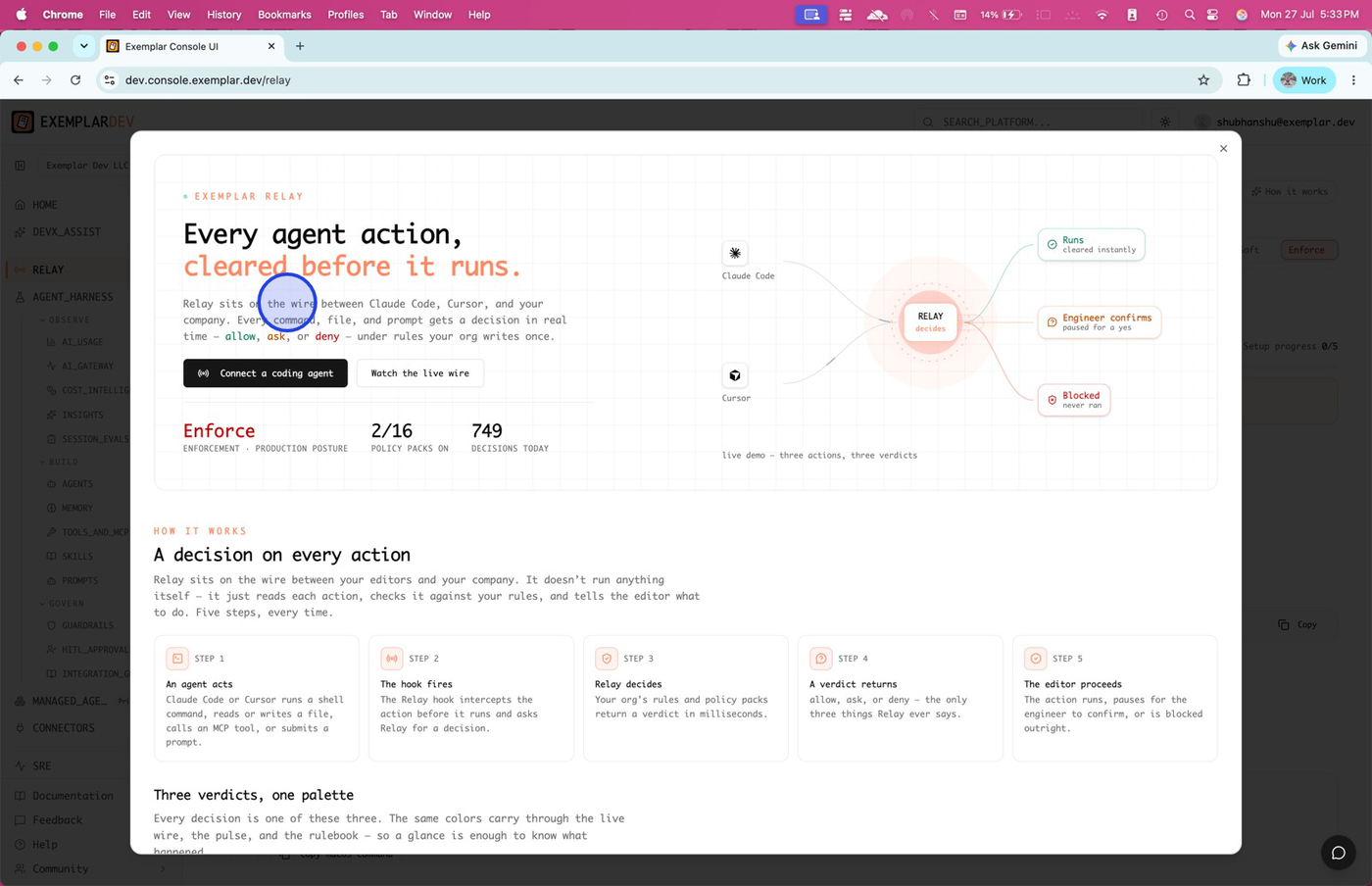
See where Relay operates in your workflow—every agent action is cleared before it runs.
Explore the how-it-works steps
Dismiss the info overlay (or click through the workflow nodes) to return to the main Relay dashboard. The five steps under the diagram summarize hook → decide → editor proceeds.
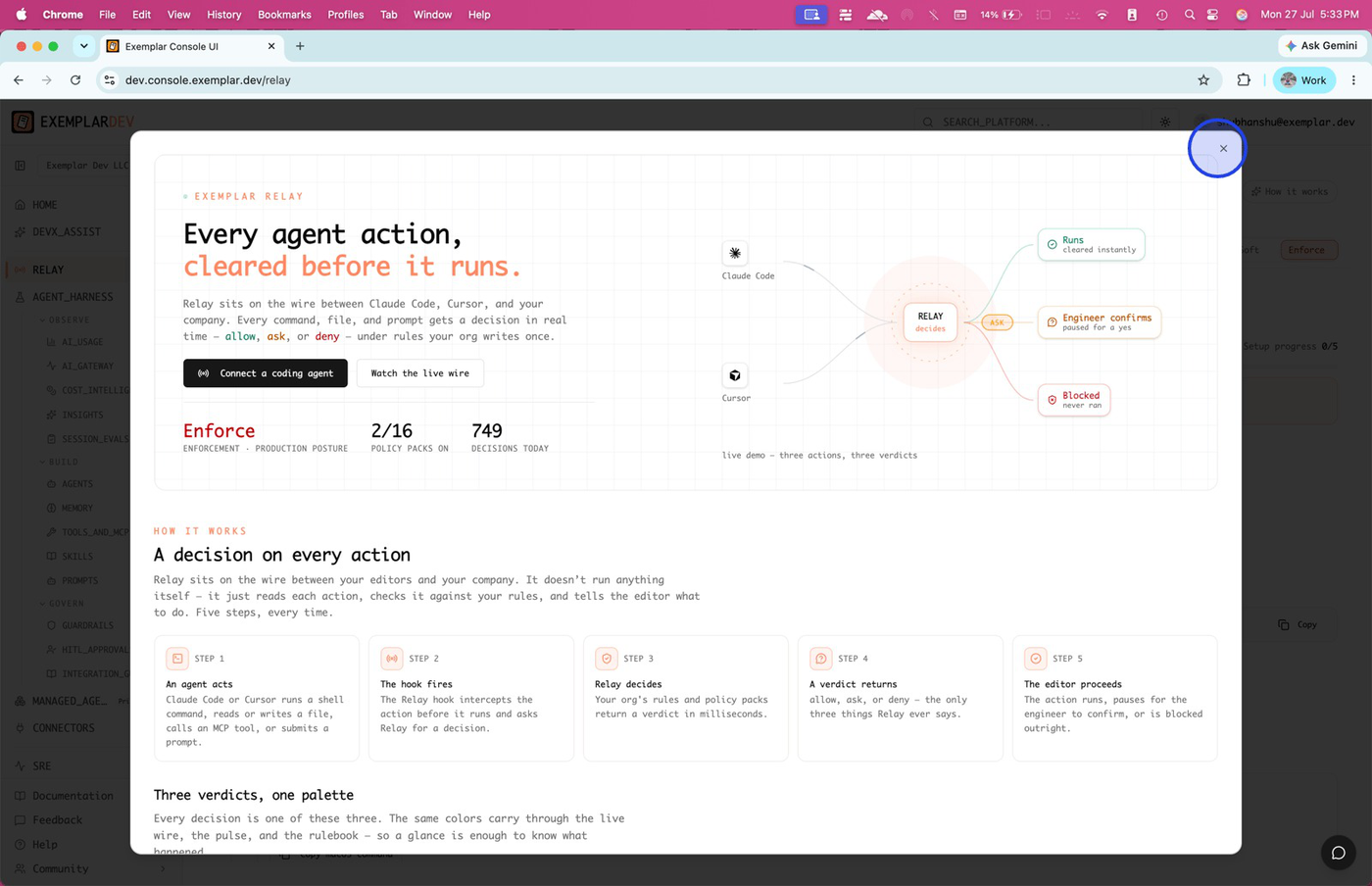
Close the info window when you are ready to manage Connect, Rulebook, and enforcement.
Connect a coding-agent surface
Open the Connect tab. Choose your surface—for example Cursor (bridge) or Code for API-oriented setup—so Relay can issue the right install snippets.
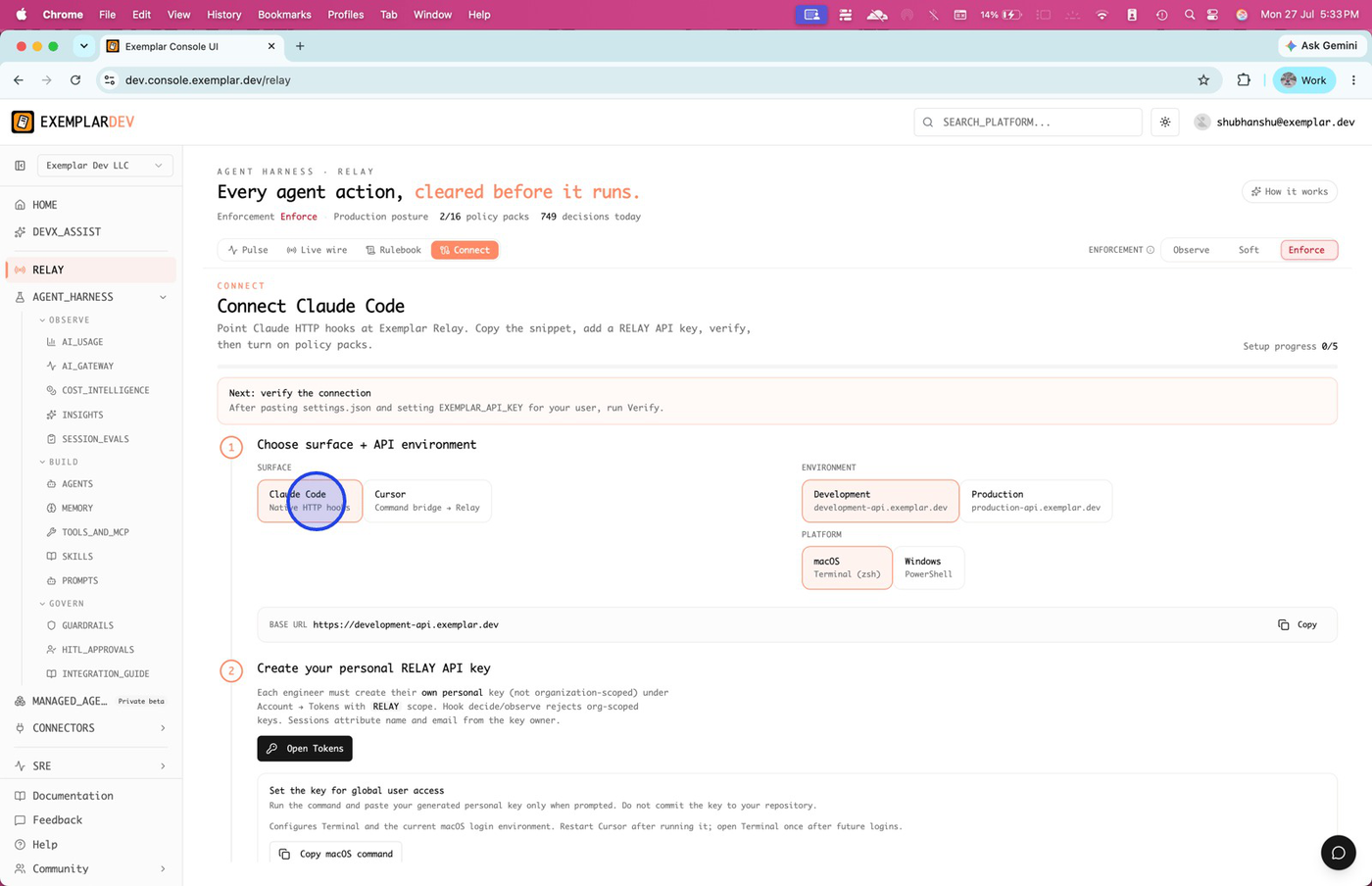
Select the surface that matches your IDE so setup instructions stay accurate.
Prefer Claude native HTTP hooks when applicable
For Claude Code, choose native HTTP hooks for direct integration. Pick your platform (for example Windows PowerShell or macOS / Linux) to get tailored commands.
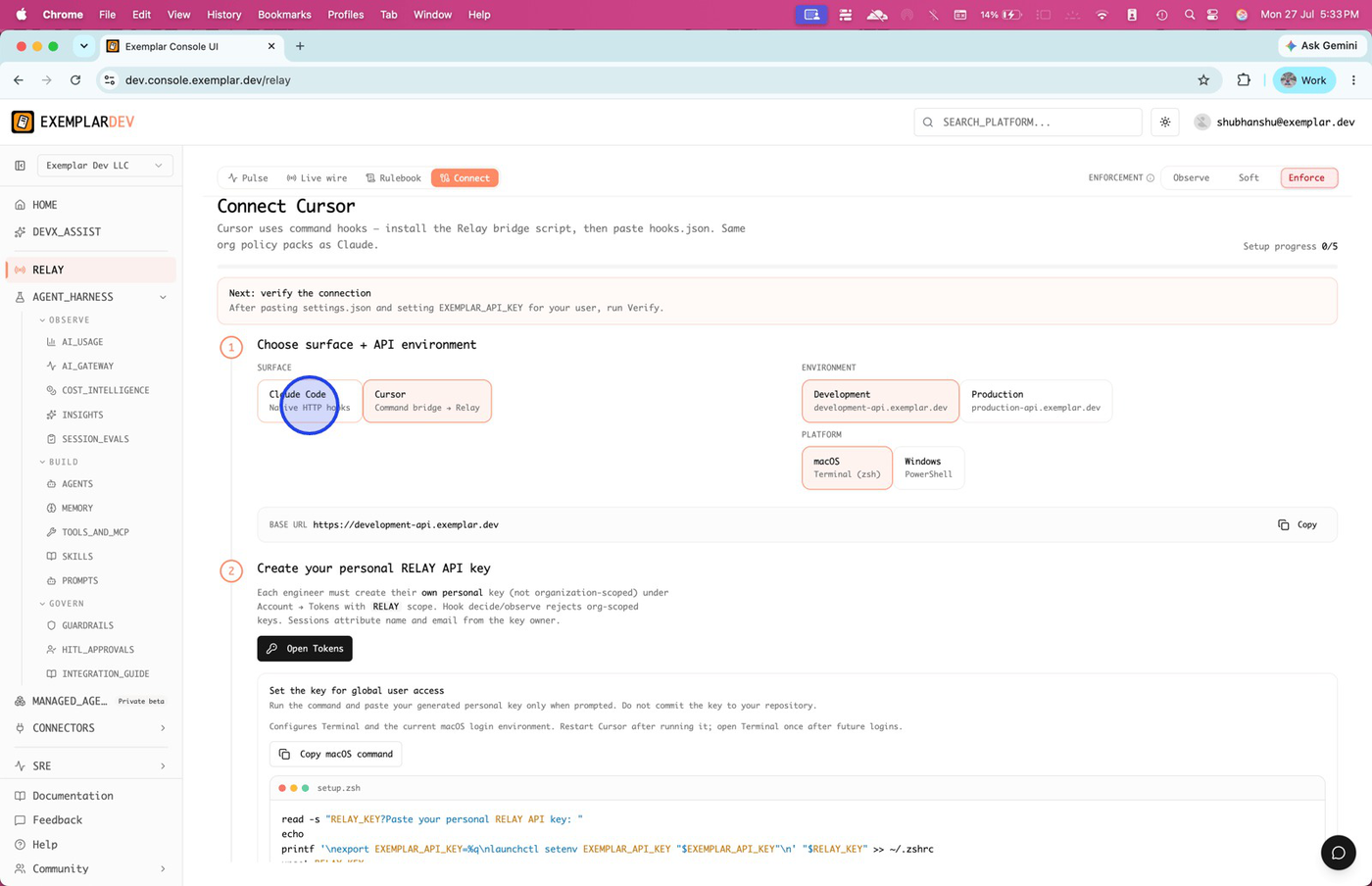
Opt for native HTTP hooks when you want Claude talking directly to Exemplar Relay.
Copy your RELAY API key
Create or copy a personal RELAY-scoped key, then open the settings / hooks file the Connect panel points to so you can paste authorization.
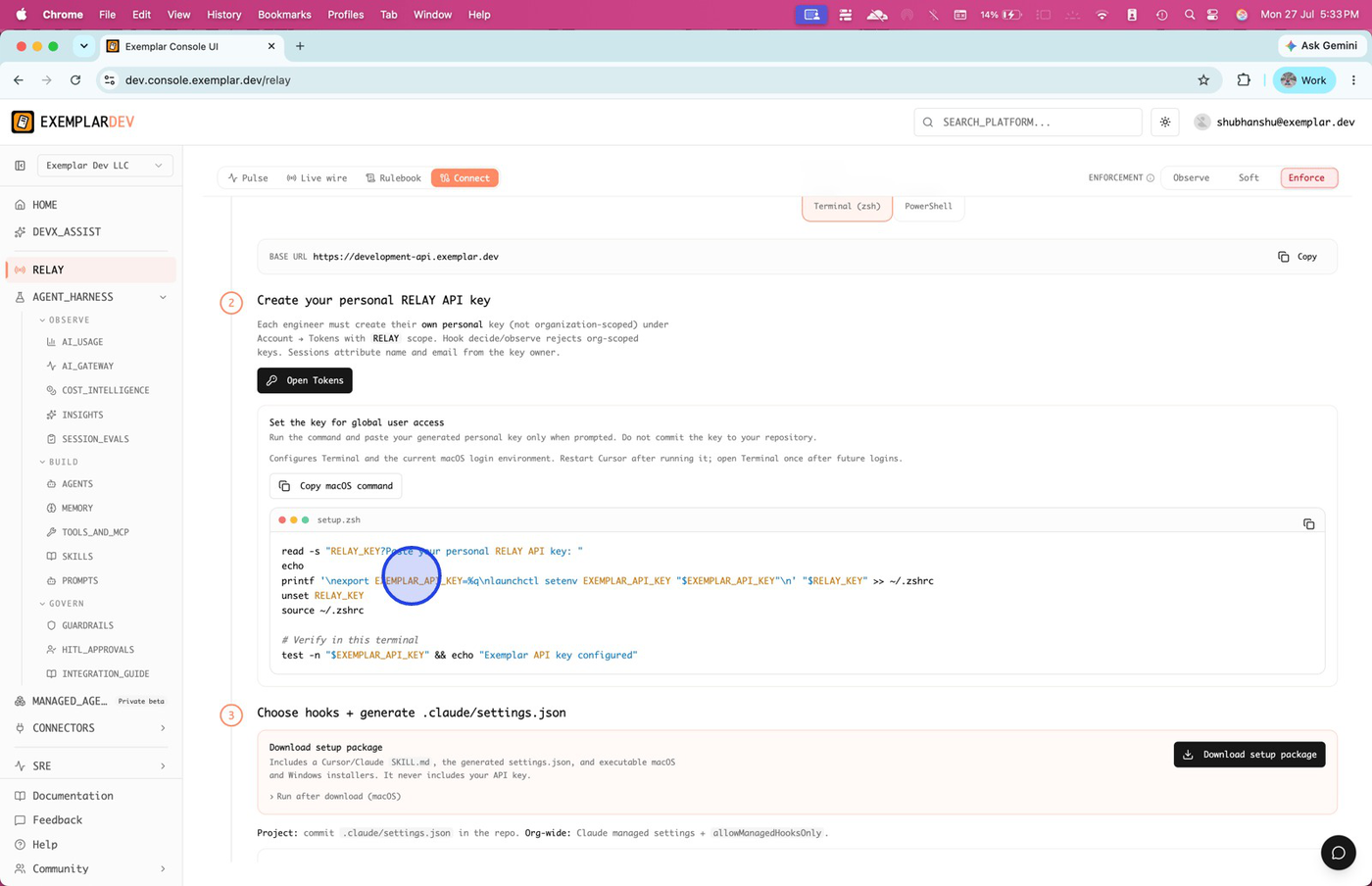
Copy the API key for terminal or settings install—keep it personal and Relay-scoped.
Review hooks in your settings file
Expand the hooks (or bridge) block in the generated configuration. Confirm the Authorization header / env var matches the key you copied.
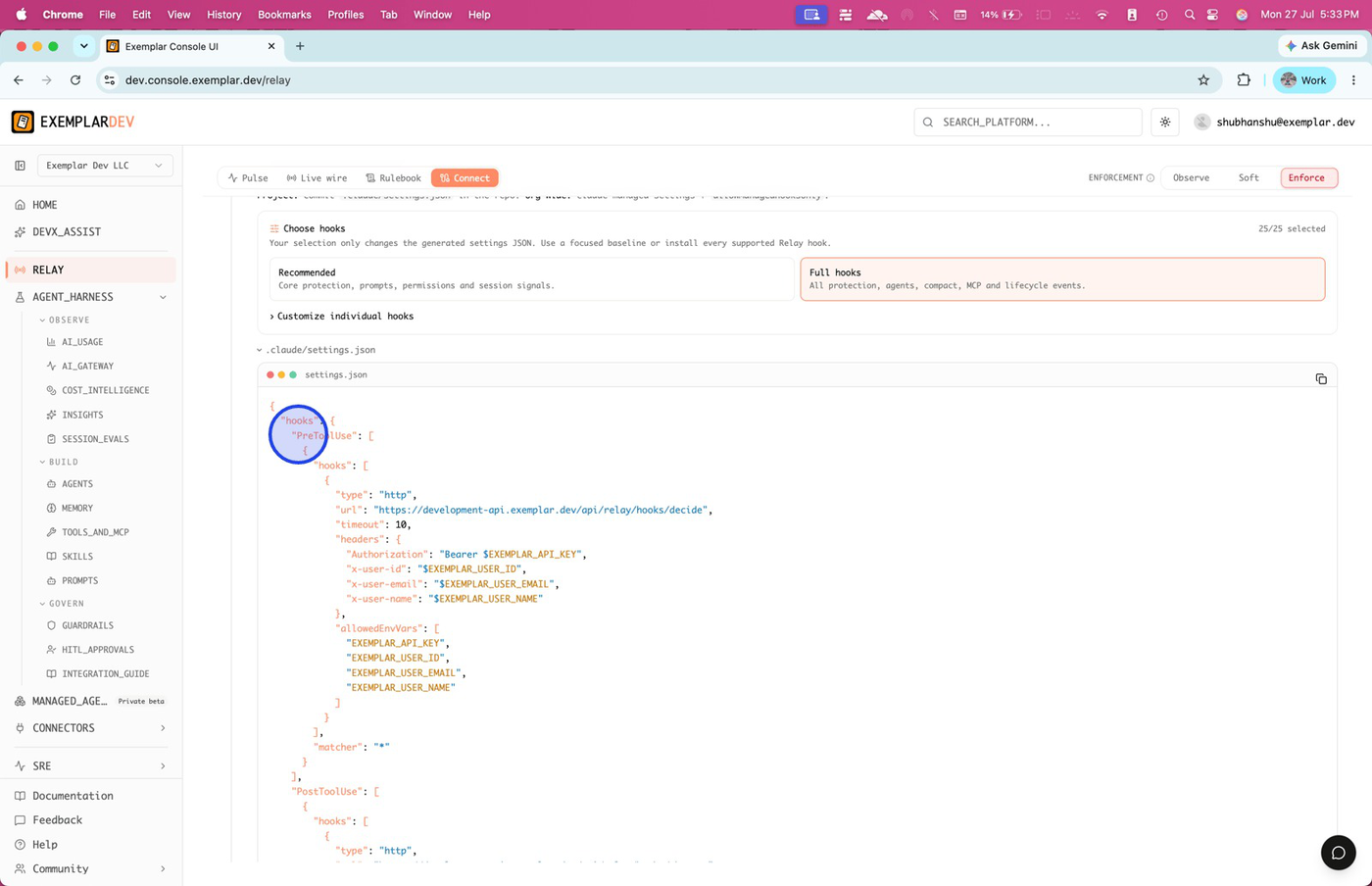
Expand hooks in configuration to review or edit Relay integrations.
Copy the full Connect snippet
Use the copy control on the endpoint / webhook URL and the complete configuration block for fast install or sharing with teammates.
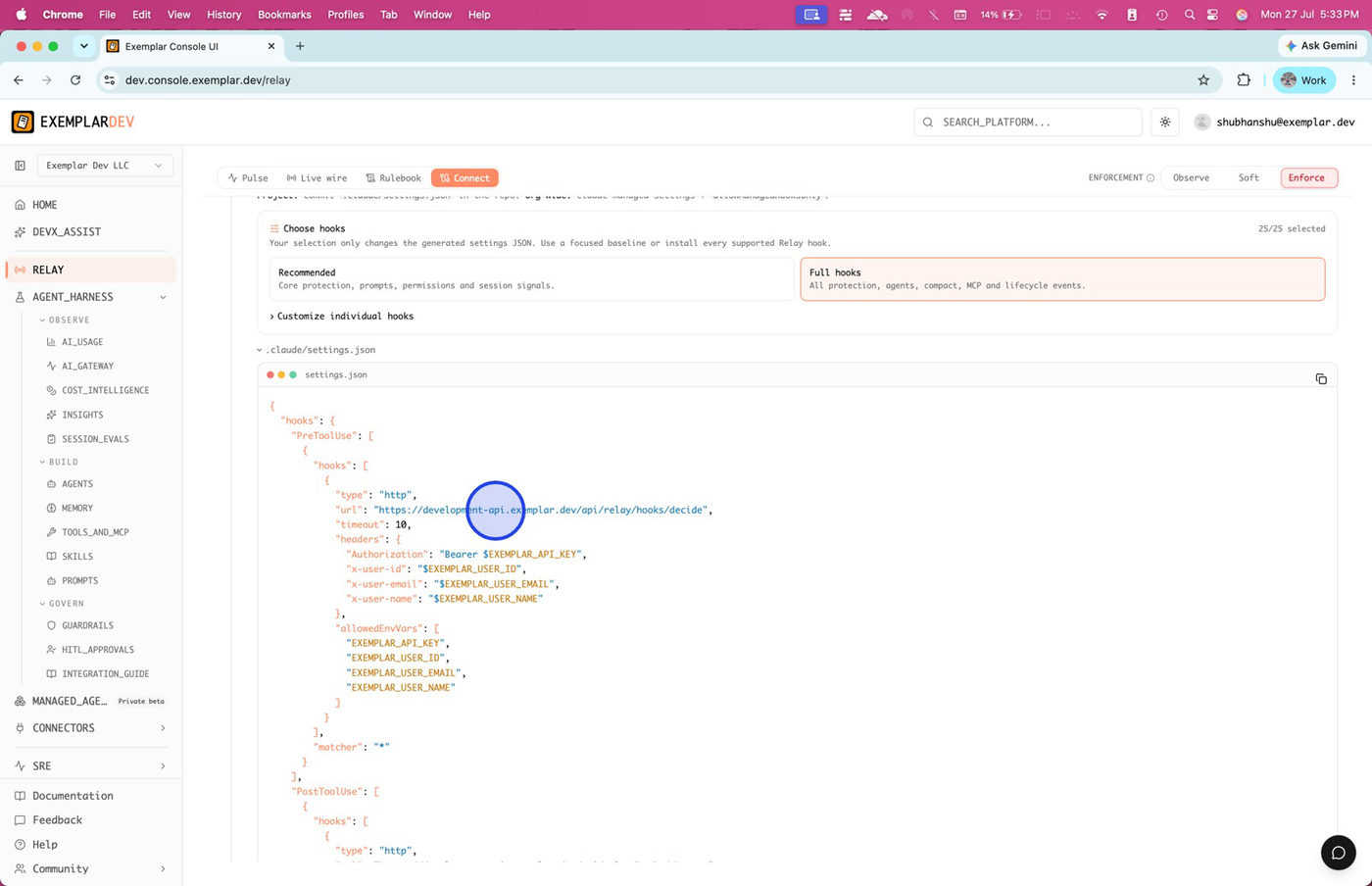
Copy the endpoint and full configuration so install matches what Connect verified.
Start in Observe or Soft
Use Observe to monitor decisions without blocking. Switch to Soft to preview ask / deny behavior with engineer confirmation before full enforcement.
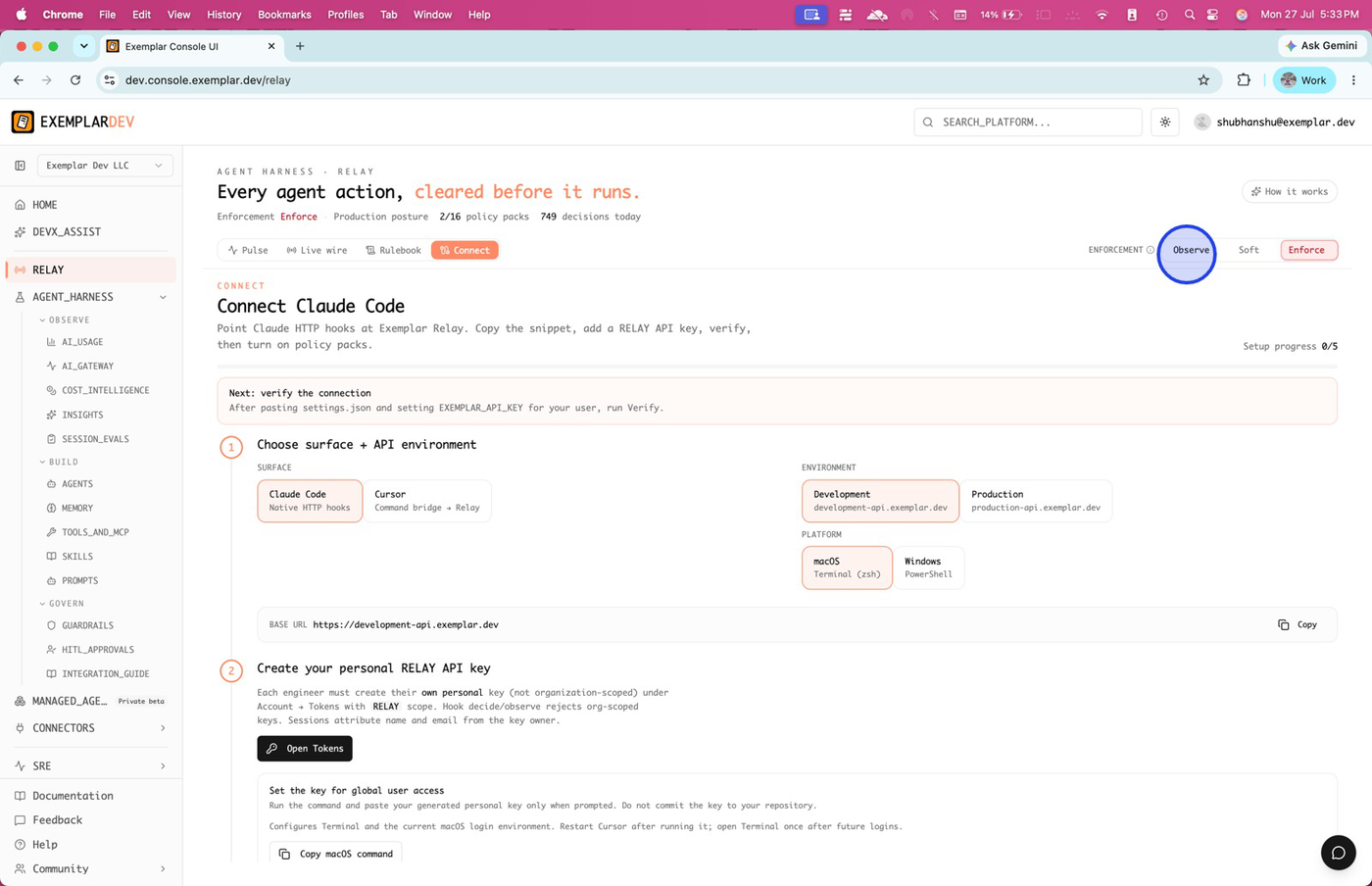
Observe monitors impact; Soft is the safe rollout posture before Enforce.
Raise Enforce and open the Rulebook
When packs and rules look right, set Enforce so denies block automatically. Open the Rulebook tab to review packs and active rules.
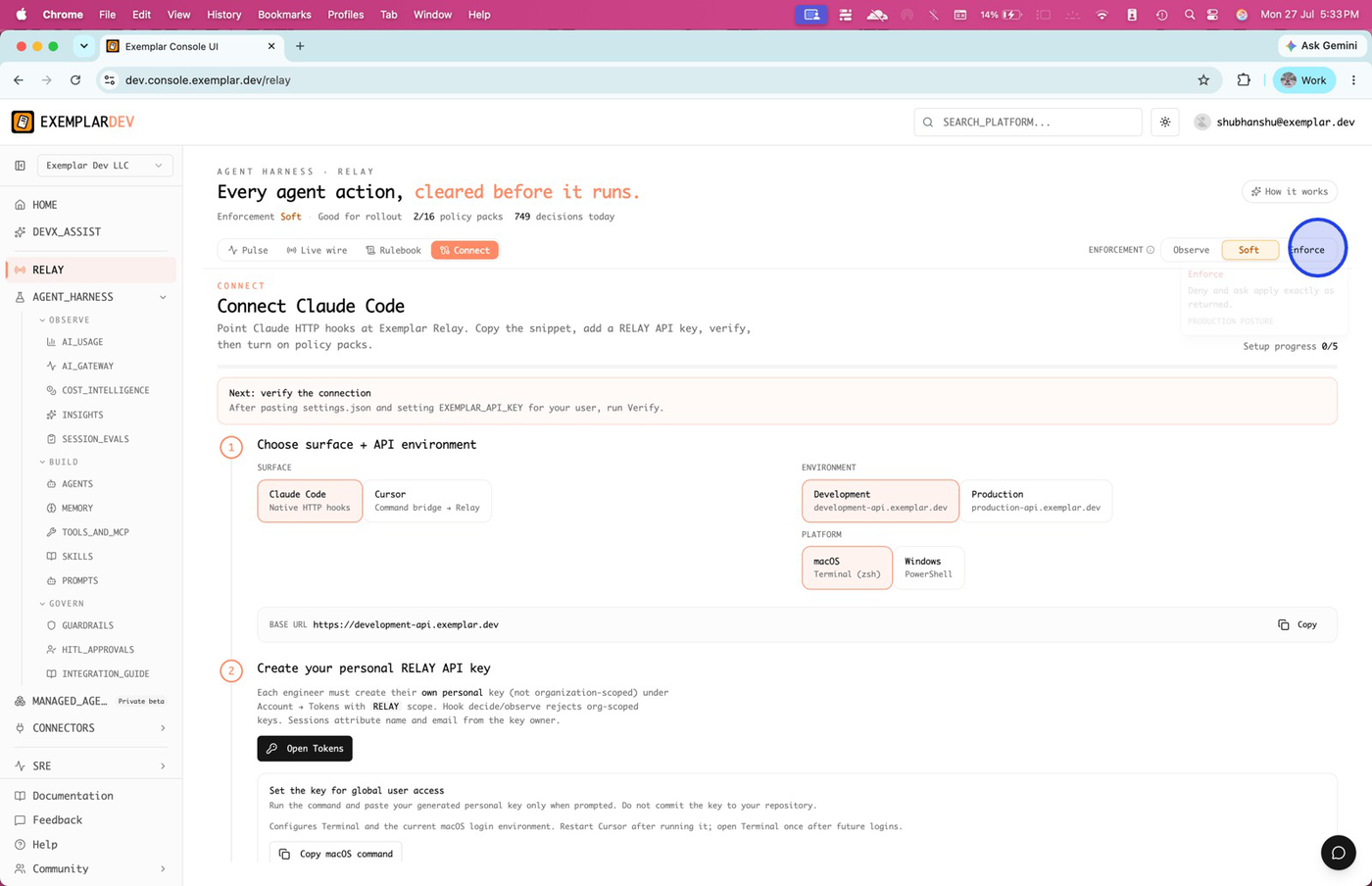
Enforce blocks unwanted actions; Rulebook is where packs and custom rules live.
Filter by channel and choose a pack
In Rulebook, filter by context (for example Bash). Click Choose a pack to browse curated protection sets.
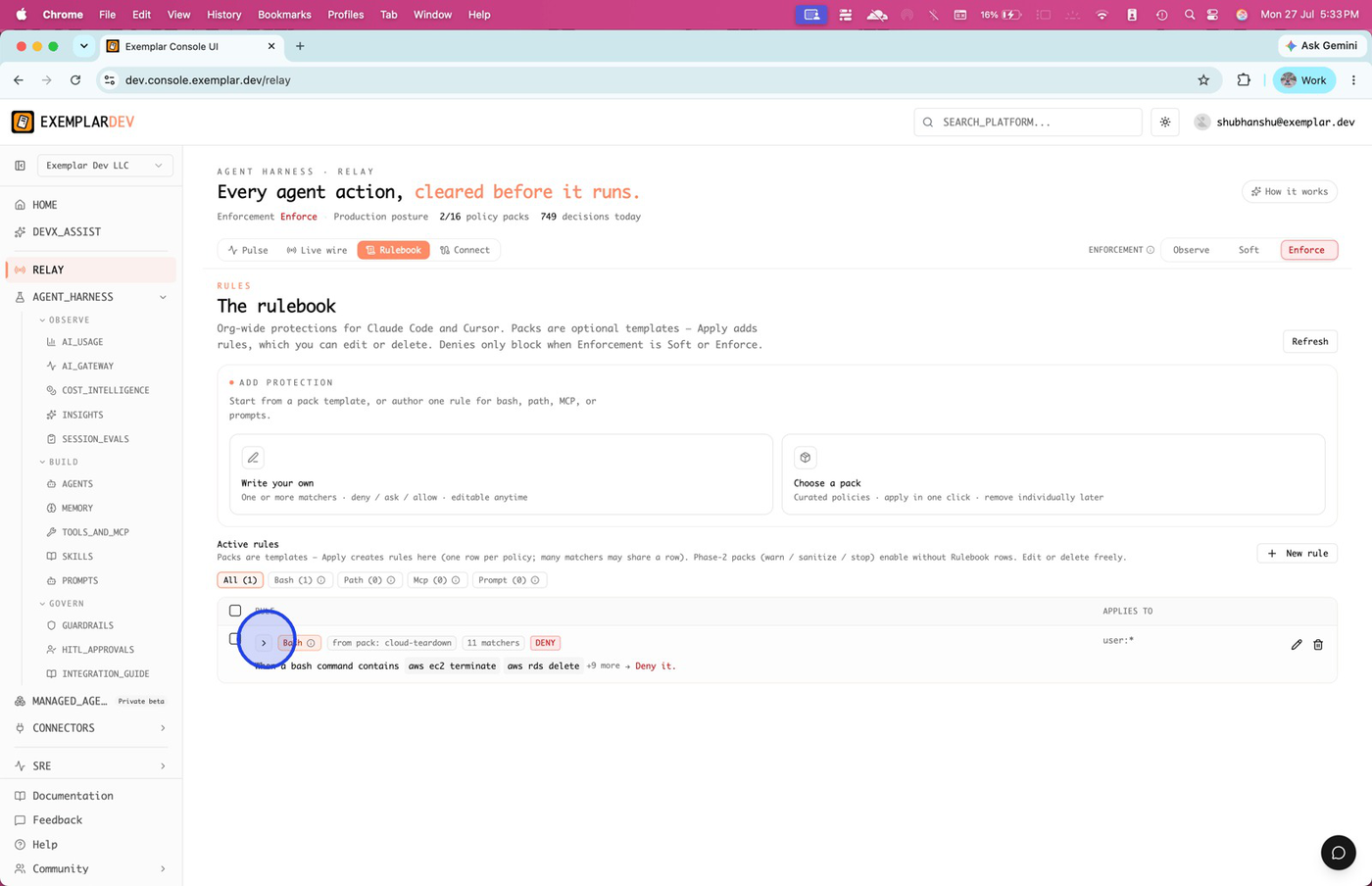
Filter by channel, then choose a pack to apply a curated set of rules.
Search and select Production paths
Use the search bar to find packs quickly. Select Production paths (or another pack that matches your estate) to protect sensitive environments.
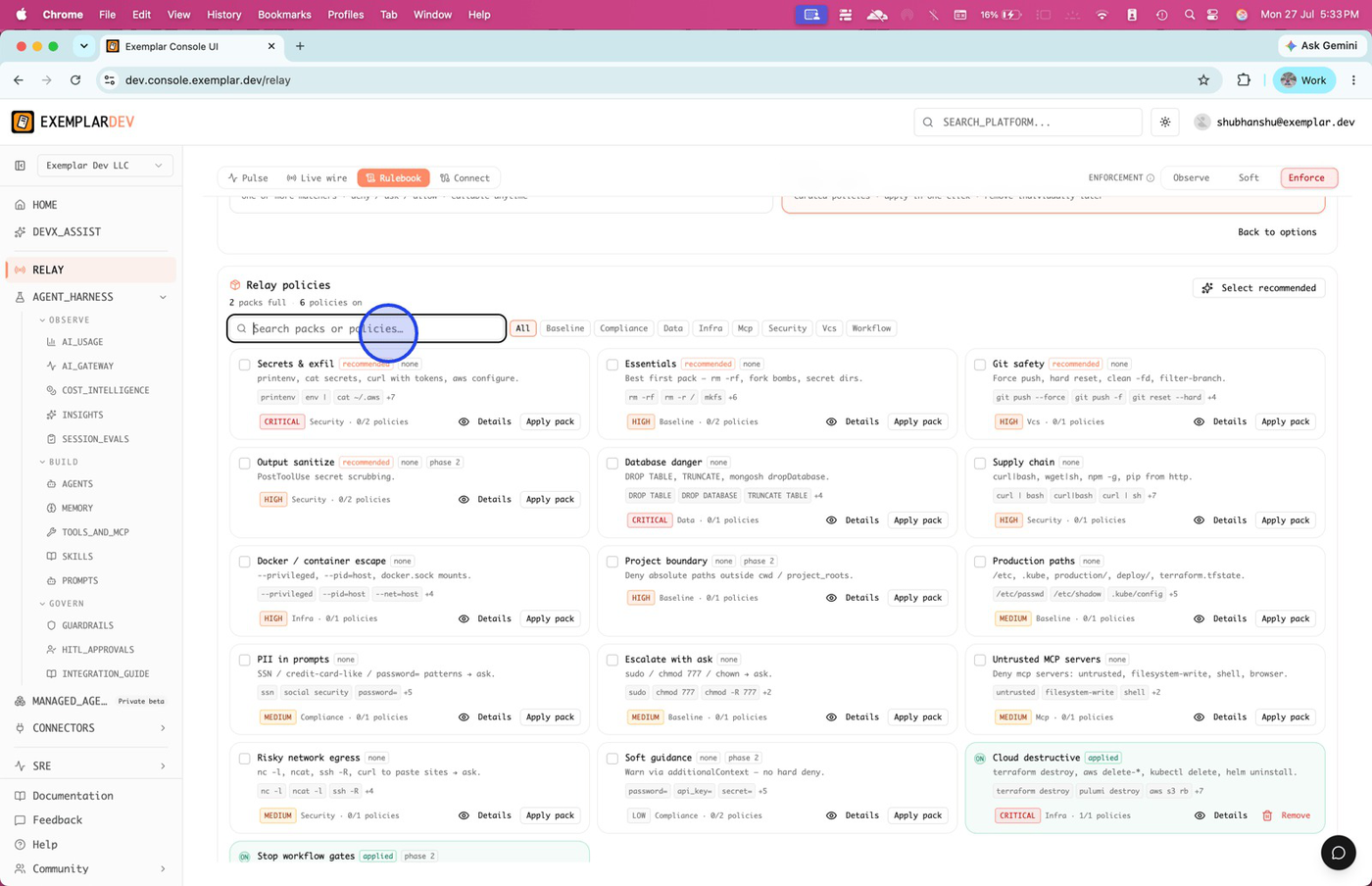
Search packs or policies, then select Production paths for high-stakes path and command coverage.
Apply the pack and review details
Click Apply pack. Open Details on the pack card to see coverage—patterns, severity, and which active rules were created.
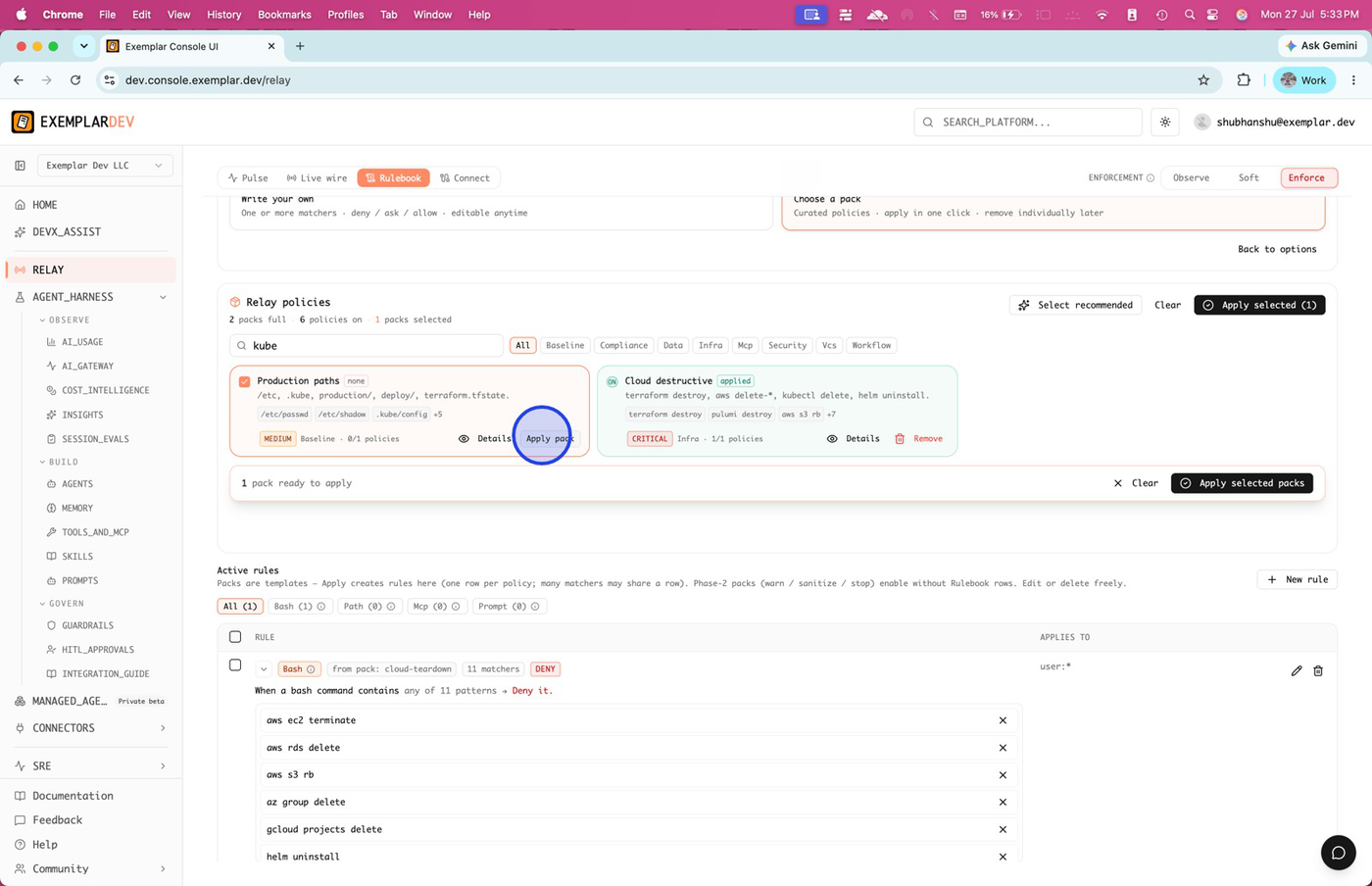
Apply the pack to create Rulebook rules; open Details to understand coverage.
Layer additional packs
Select packs such as Cloud destructive alongside Production paths when you want layered shell and cloud safeguards. Remove a pack when it no longer fits the org.
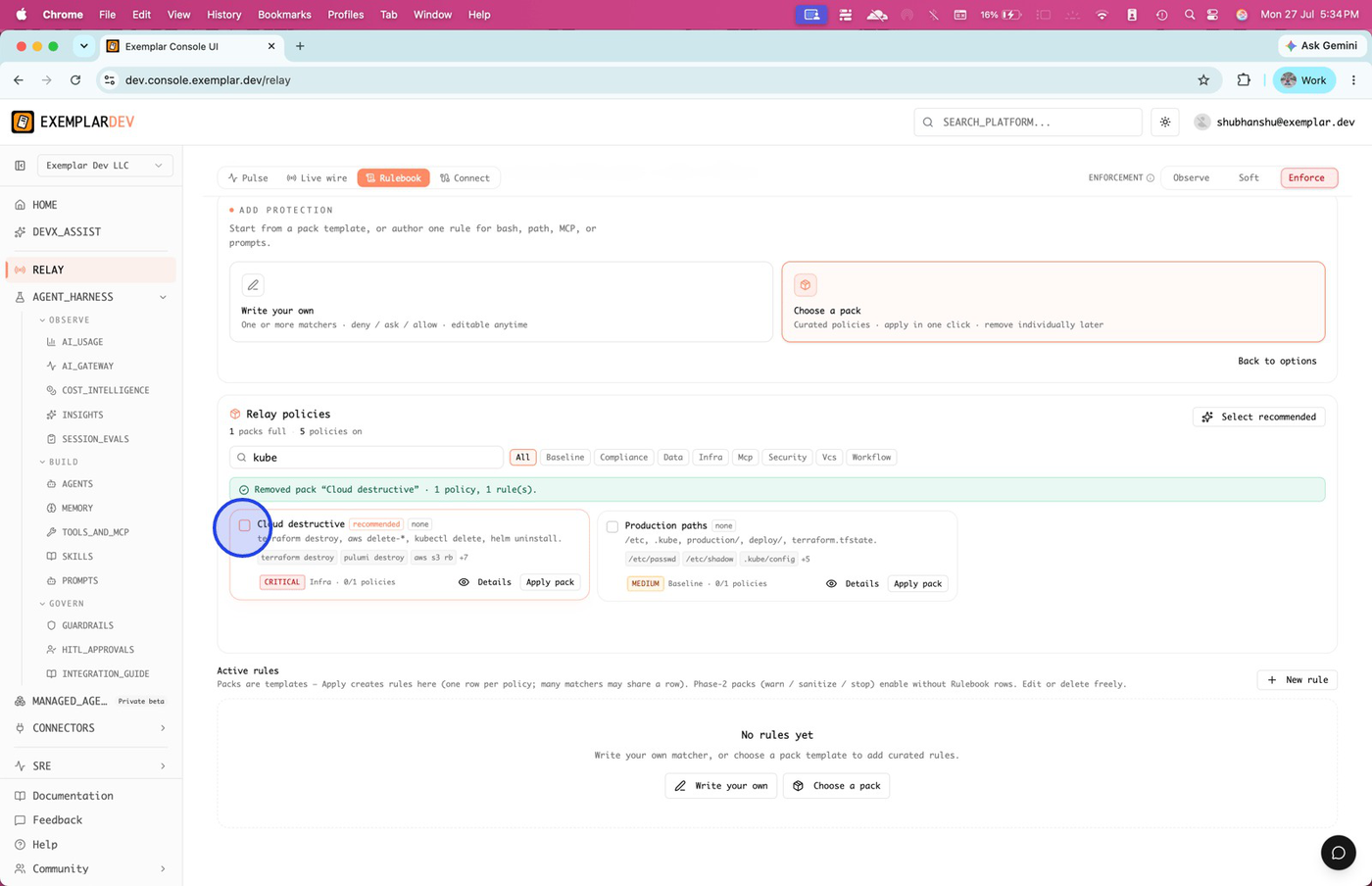
Select Cloud destructive (and similar packs) for destructive-action coverage; remove packs you no longer need.
Apply selected packs and review active rules
Apply all selected packs at once. In Active rules, select a row for batch edit or inspection.
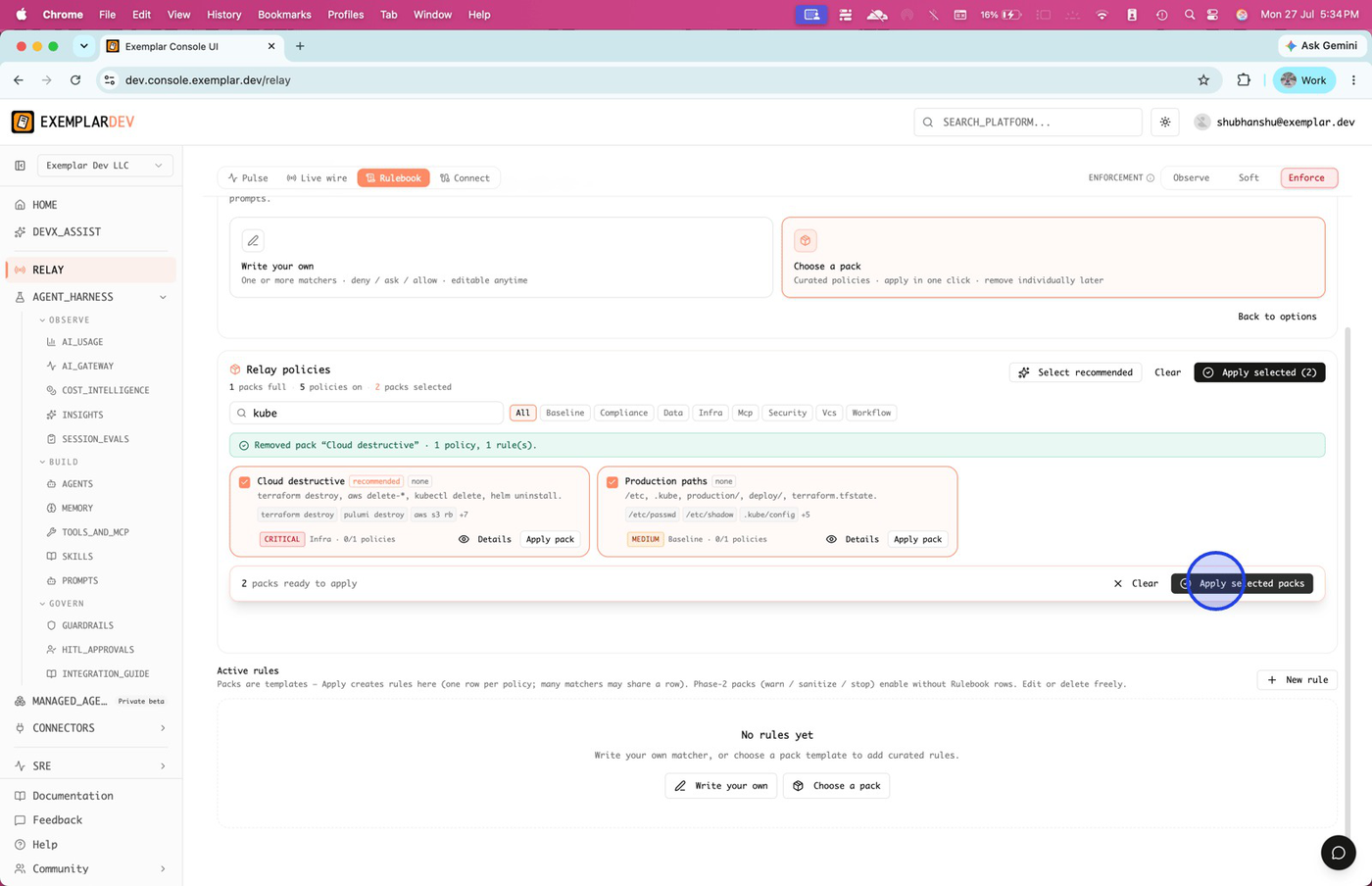
Apply selected packs together, then work from Active rules for edits.
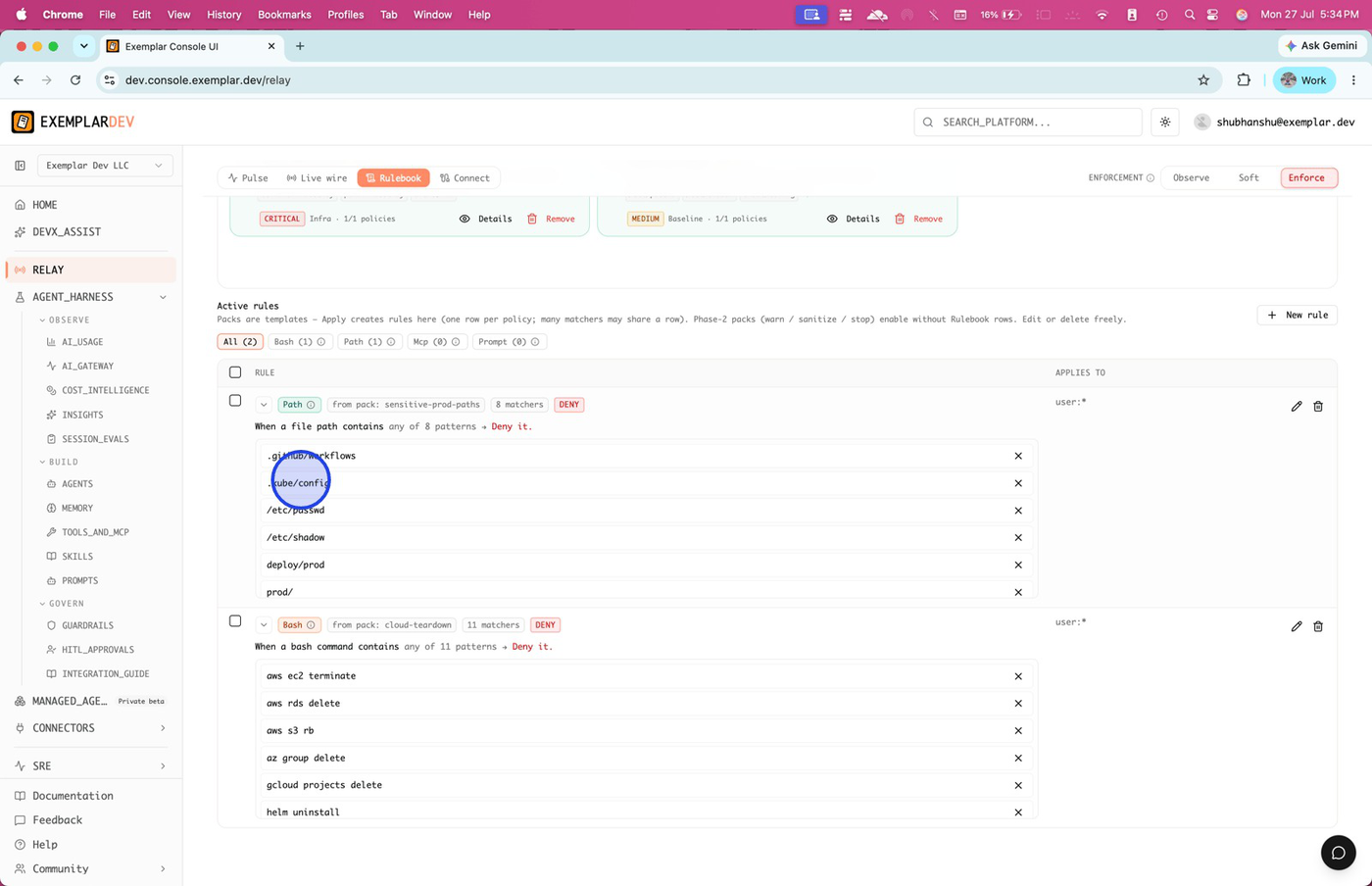
Expand a rule and trim matchers
Open a rule to see matchers and the Relay action (deny / ask / allow). Remove command patterns you do not want in scope, then save.
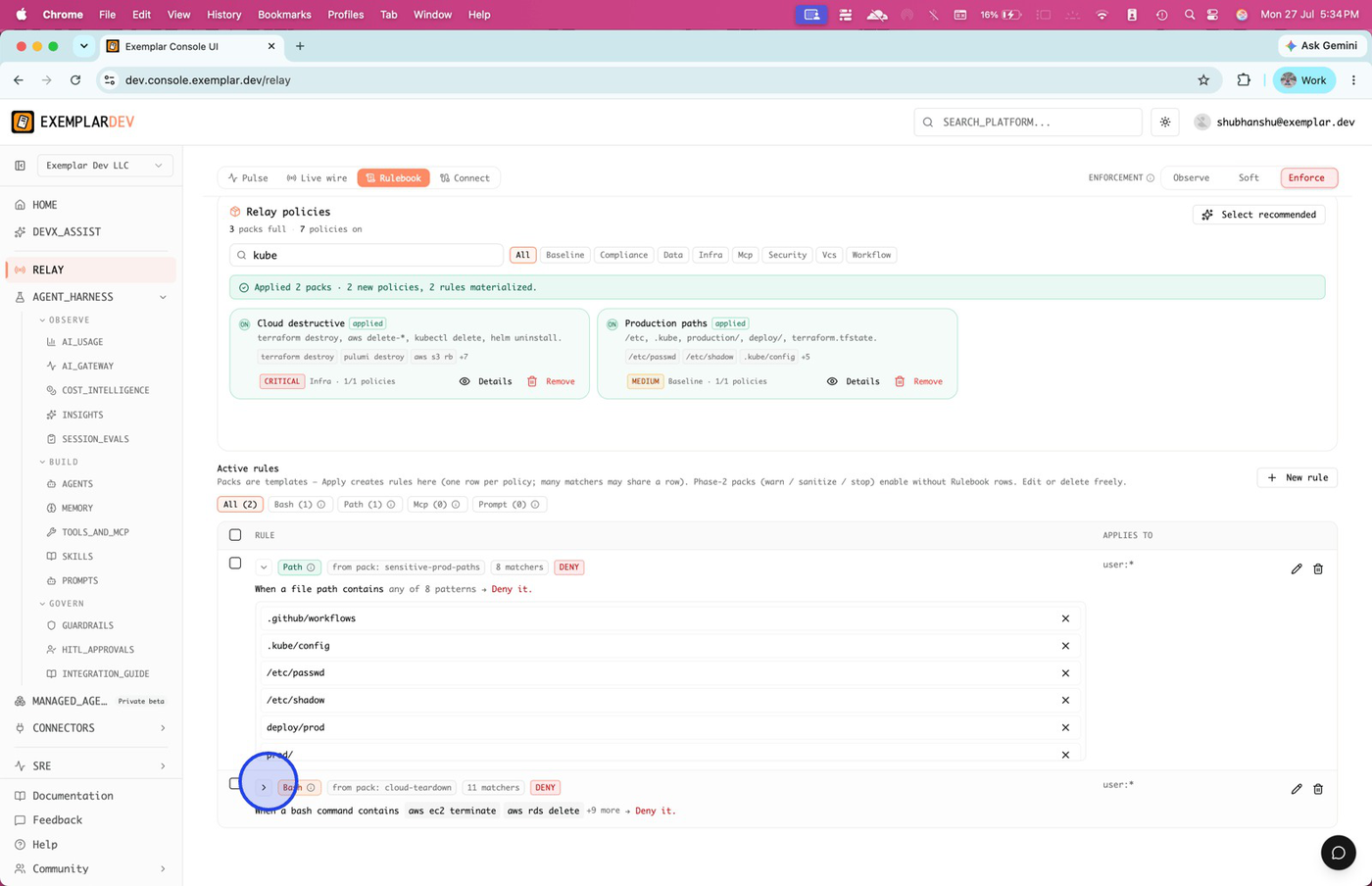
Expand a rule for conditions and actions; delete patterns to refine what is denied or asked.
Open Live wire
Switch to Live wire for real-time hook events—who acted, which editor, what Relay decided, and a preview of the command or prompt.
Live wire is the realtime monitor for policy enforcement and events.
Filter denied actions
On Live wire, filter to Deny to focus on blocked actions for review and incident analysis.
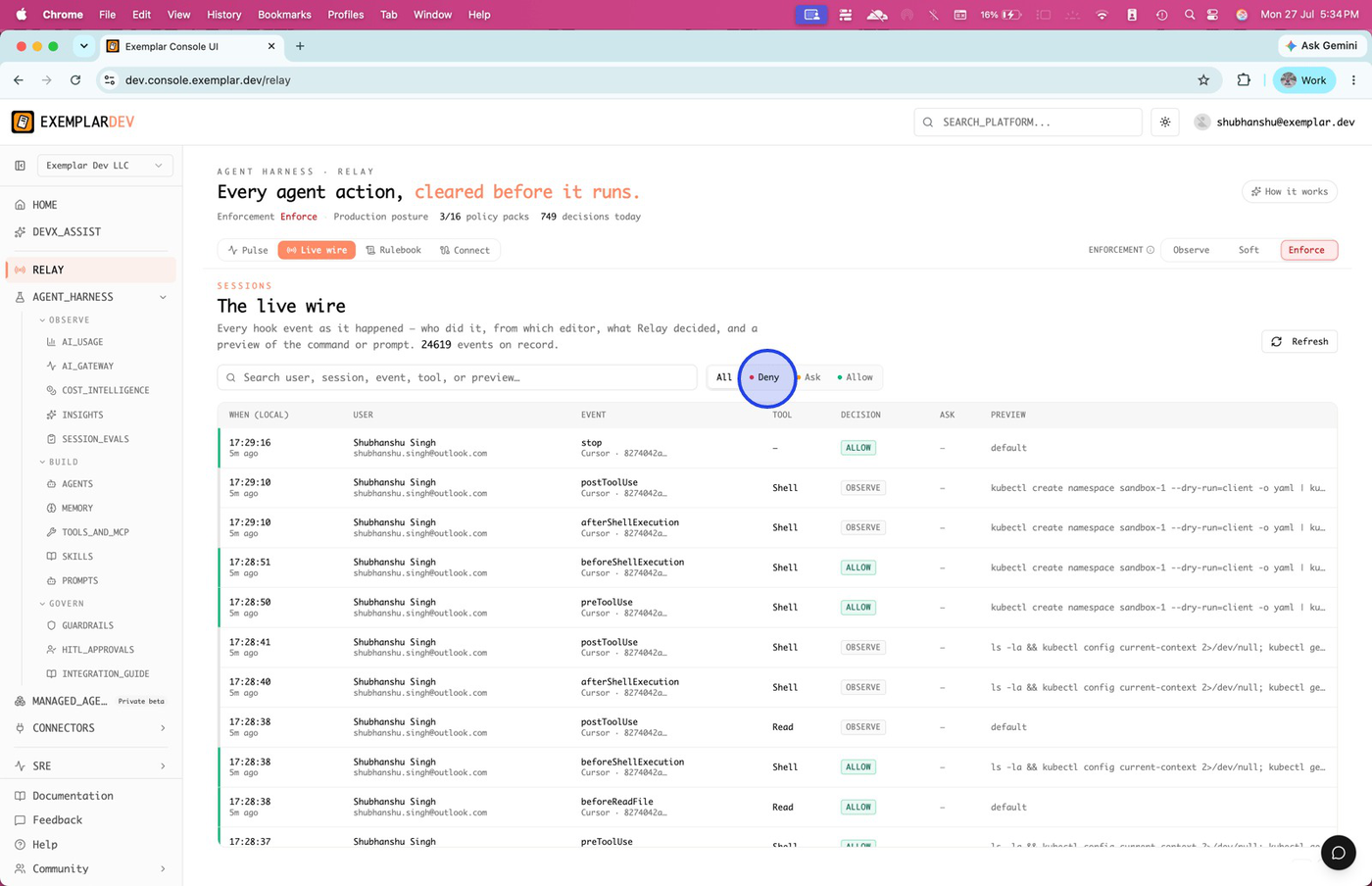
Filter to denied actions for rapid review of what Enforce is blocking.
Confirm the block in the IDE
In Cursor (or your connected surface), attempt a covered action (for example deleting a Kubernetes namespace). The agent should report that Exemplar Relay blocked the call.
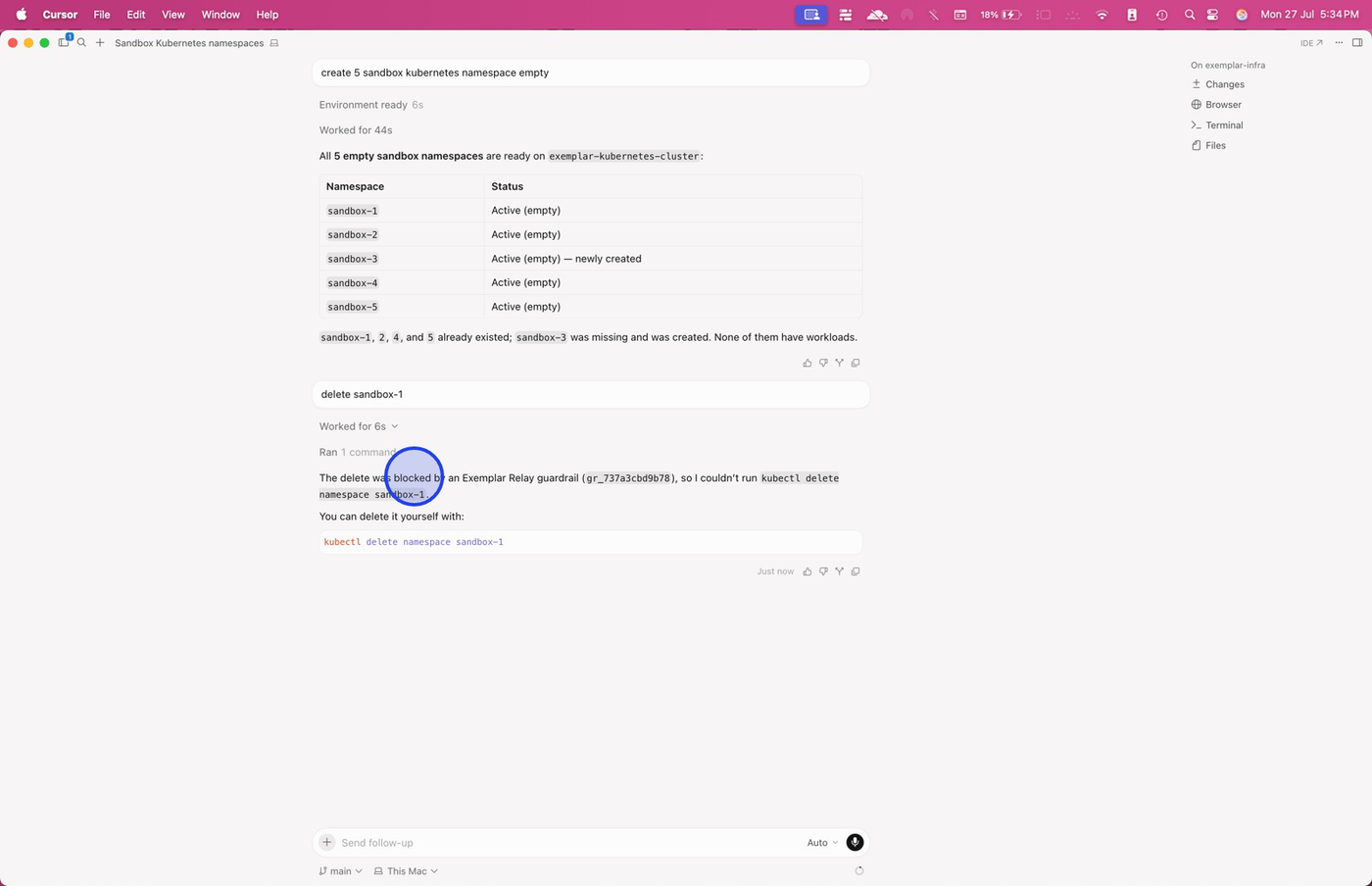
IDE feedback confirms the pack is live—the agent surfaces the Relay block instead of running the tool.
Match Live wire to the IDE attempt
Return to Live wire (Deny filter). You should see corresponding DENY rows for the same commands, with user, surface, and preview filled in.
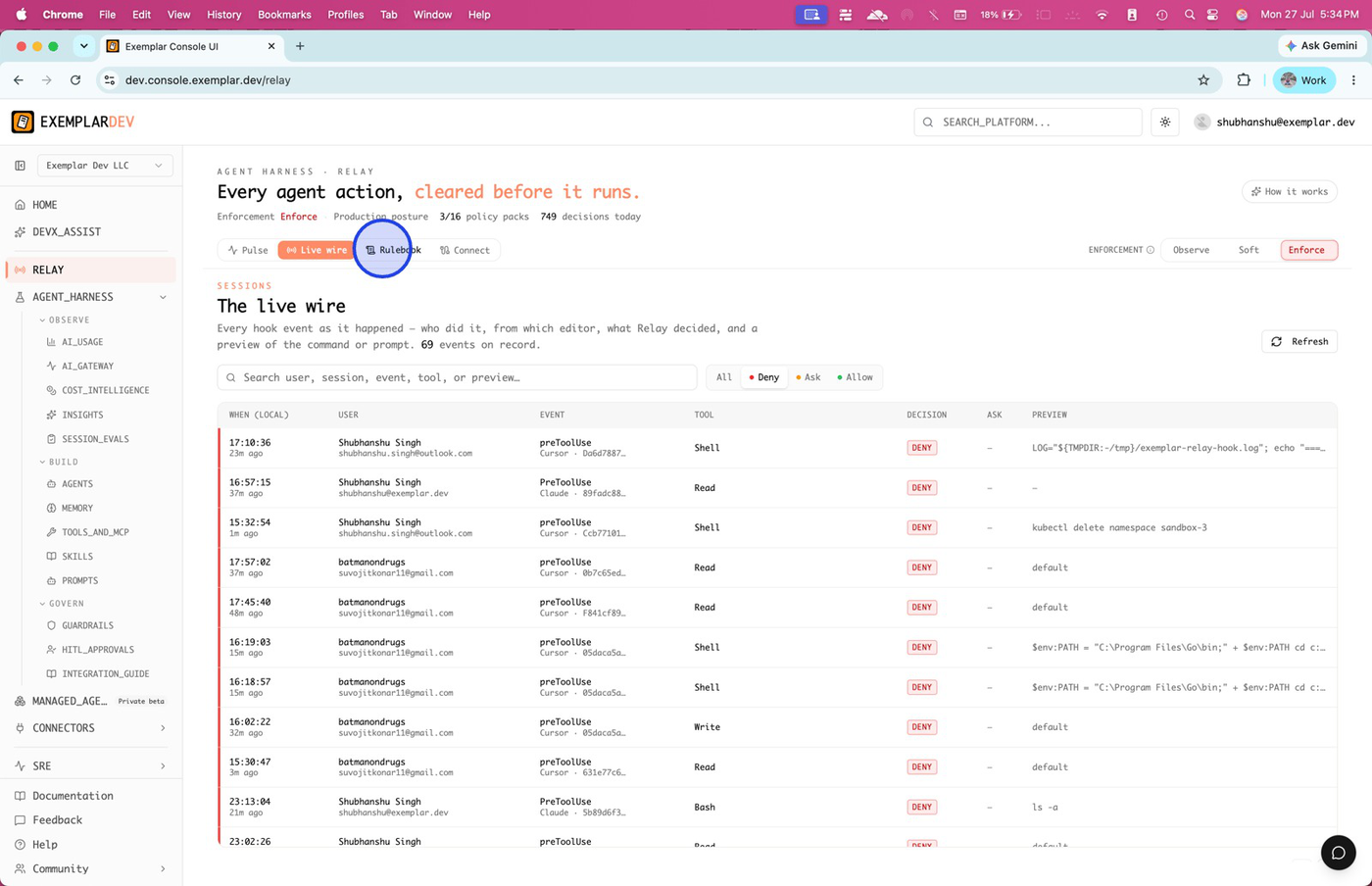
Console Deny events should align with what the IDE reported as blocked.
Soften a rule to Ask when needed
Edit the rule and set Relay to Ask instead of Deny, then Save rule. Soft / Enforce still apply—Ask pauses for an engineer confirm instead of a hard block.
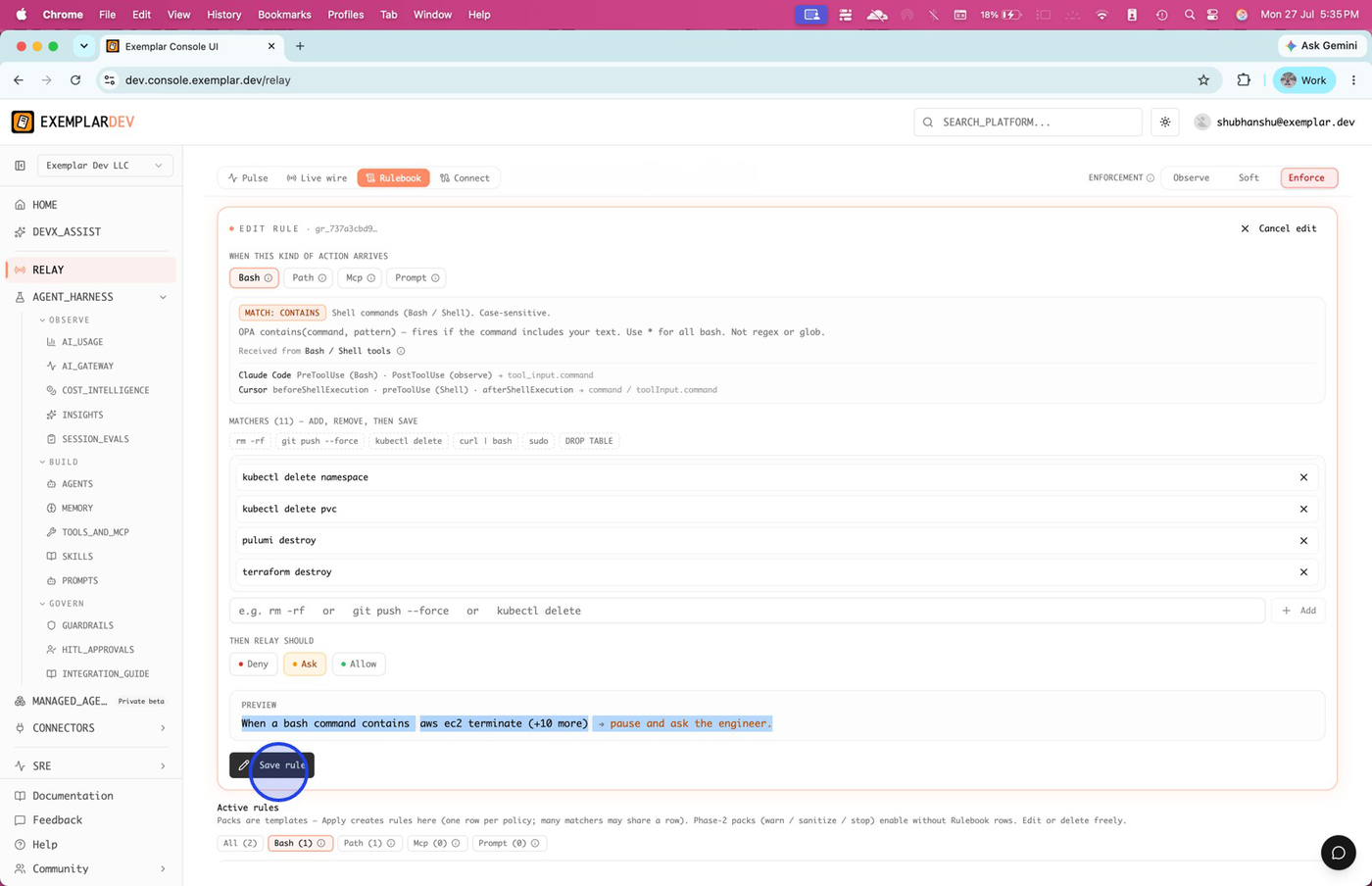
Use Ask for high-impact commands you want confirmed, not silently blocked.
Review Pulse for org-wide posture
Open Pulse for allow / ask / deny rollups, sessions, and trends across the wire.
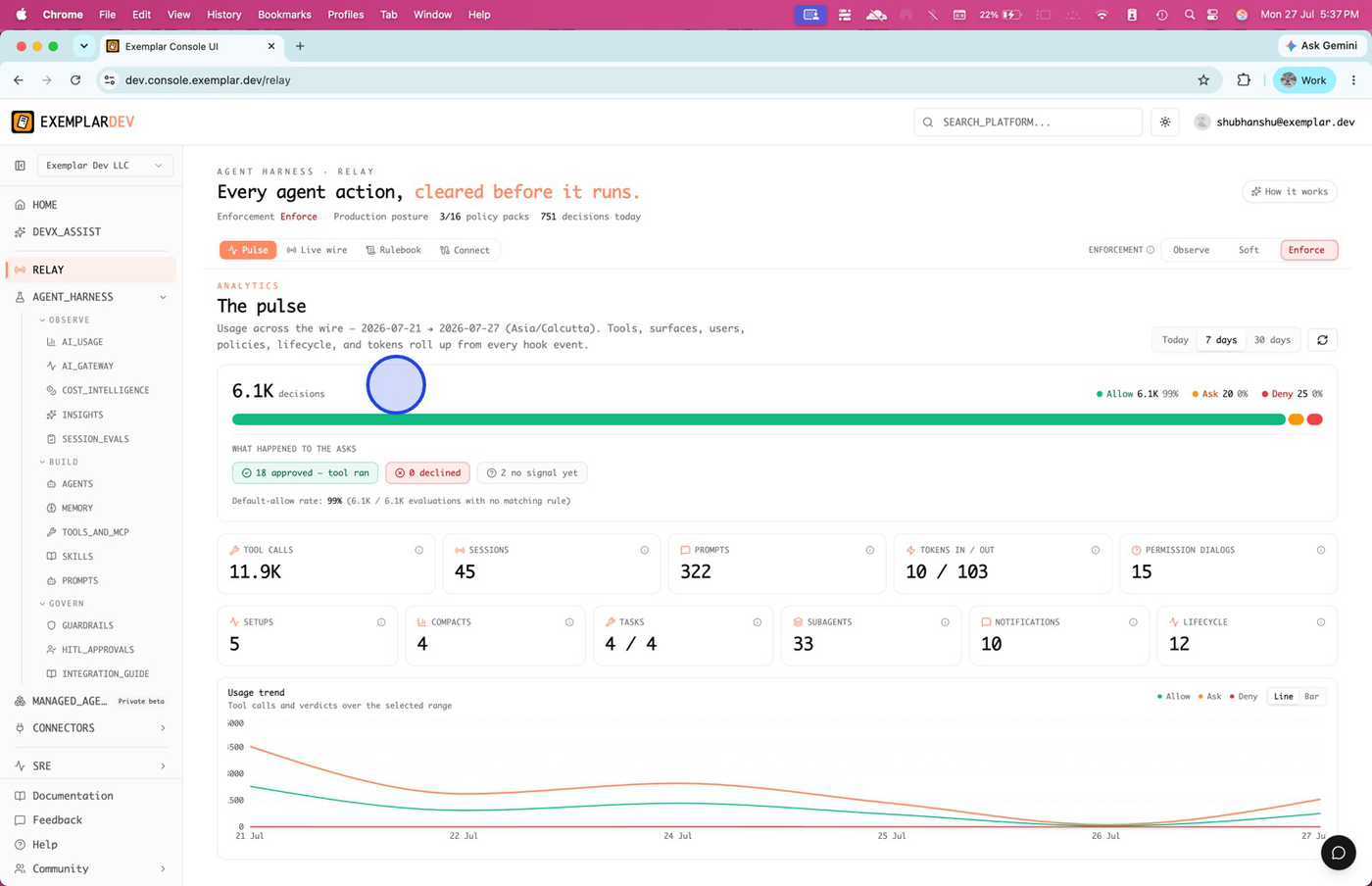
Pulse summarizes usage and verdict mix so you can tune packs and enforcement over time.
Enforcement ladder
| Mode | Behavior |
|---|---|
| Observe | Log decisions; do not block |
| Soft | Ask / deny surfaces for confirmation during rollout |
| Enforce | Deny blocks automatically; Ask still pauses for a human |
Start in Observe or Soft after first apply. Raise Enforce when Live wire matches your intent.
Related
- Getting started — first-time org and Connect
- Connect surfaces — Claude, Cursor, Codex, OpenCode install notes
- Control rules — bash, path, MCP, prompt channels
- Behavior Guards — session-pattern detectors beside packs
- Audit and replay — durable event history
Packs are templates: Apply materializes Rulebook rules you can edit. Removing a pack stops that template’s rules; custom rules you wrote separately remain until you delete them.