Public SSL Certificate Monitoring
Public SSL monitors connect to internet-facing hosts and ports (for example exemplar.dev:443 on a set check interval), validate the certificate, and surface expiry, issuer, subject, and serial details. The timeline and check history show repeated successful checks with days-to-expire on each row so teams can proactively monitor public TLS health over time.
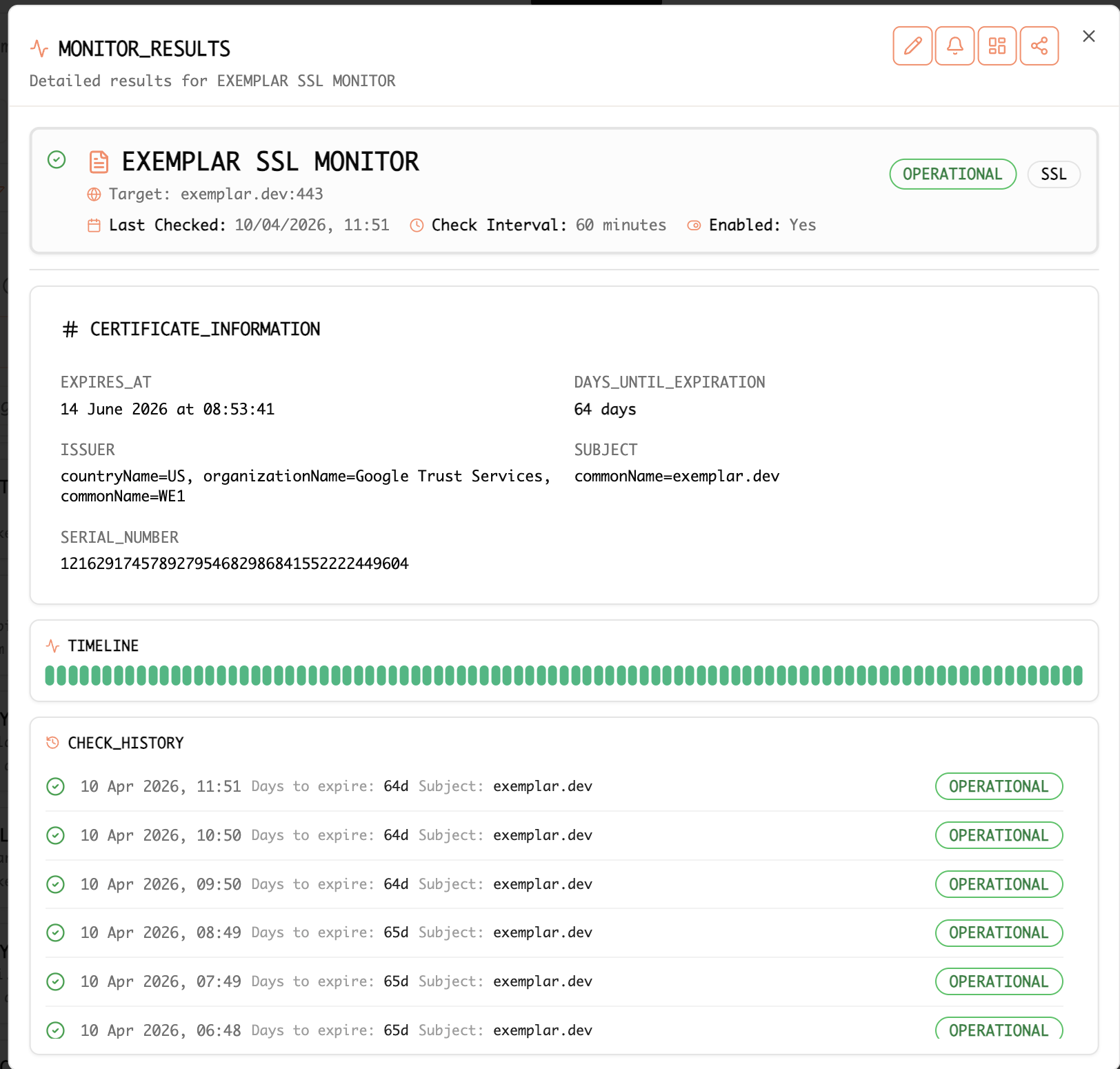
Example: Public SSL monitor with certificate expiry details, issuer information, and hourly TLS check history.
How To: Set Up Public SSL Certificate Monitoring and Email Alerts
Step-by-step guide
Work in the Exemplar console .
-
Open SSL monitoring — Navigate to the area where SSL, TLS, or certificate monitors are configured and managed.
-
Create a public SSL monitor — Add a monitor for your public host and port (for example
api.example.com:443). Configure an appropriate check interval based on operational requirements and certificate renewal policies. -
Validate certificate details — Ensure the monitor verifies the certificate chain, hostname, SAN entries, and expiry window. Review issuer and subject information to confirm the correct certificate is deployed publicly.
-
Review timeline and history — Use the timeline and check history to monitor ongoing certificate validity and identify intermittent TLS or handshake failures.
-
Integrate with operational visibility — Associate SSL monitors with service boards or operational dashboards so certificate health is visible alongside uptime and monitoring signals.
-
Configure email alerts — Add email notifications for important SSL events such as:
- approaching certificate expiry
- failed renewals
- TLS validation failures
- connectivity issues
-
Verify notifications — Test alert delivery to confirm the right recipients receive actionable expiry and failure notifications.
-
Maintain ownership visibility — Document certificate ownership, renewal responsibilities, and escalation contacts to reduce the risk of unexpected expirations.
Best practices
- Monitor all public-facing production domains
- Configure alerts well before certificate expiry
- Validate automated renewal workflows regularly
- Link SSL monitors to operational dashboards for centralized visibility
- Review TLS failures immediately to avoid service disruption
Blog
- Why uptime and synthetic monitors still matter in the age of APM — How SSL checks and other probes complement telemetry and application monitoring.